The connector facilitates the transfer of translated data in the main languages from the PIM to the following Shopify fields: title, description, handle, and product type, as well as multi-language metafields.
Required permissions
Before starting, it is necessary to grant Read and write permissions for Translations and Read and write permissions for Locale in Shopify.
To review where these permissions are configured, check the related Shopify configuration article.
Select languages in the connector
The languages intended for export must be selected in the Shopify connector.
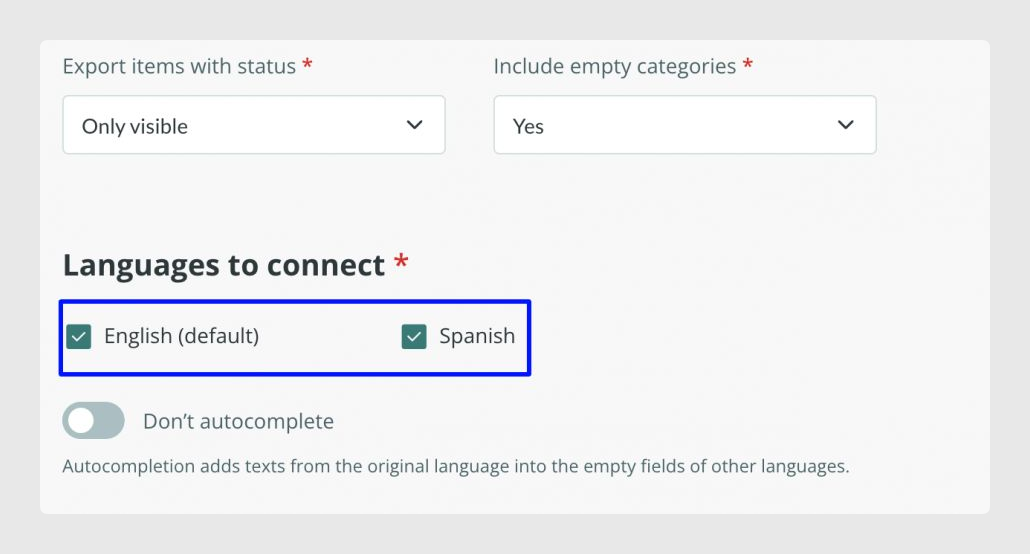
Publish languages in Shopify
Once the languages are selected in the connector, they must also be added and published in the Shopify store under Settings > Languages.
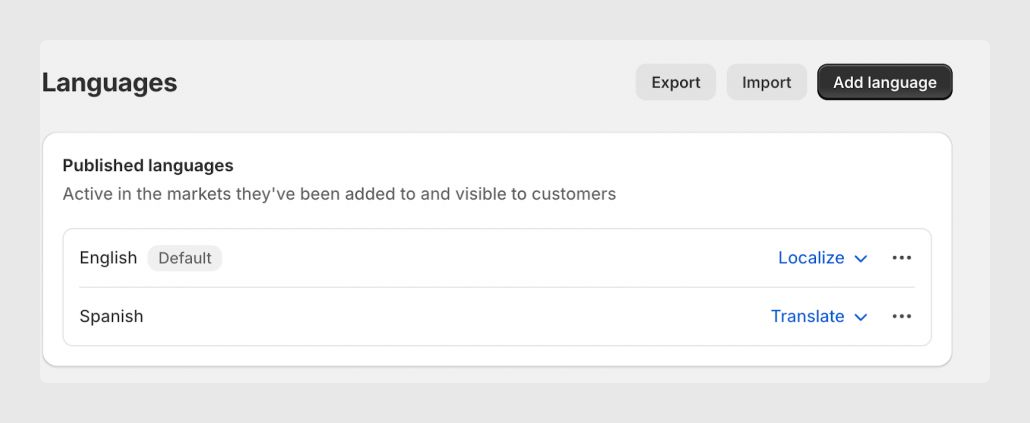
Verify the synchronization
To verify that the multi-language fields have been correctly synchronized after the synchronization, it is enough to change the store language in the frontend or check the result through external or native Shopify plugins or apps.
Important note
From Sales Layer, it is not possible to map local and regional languages for different Markets.
Was this article helpful?
That’s Great!
Thank you for your feedback
Sorry! We couldn't be helpful
Thank you for your feedback
Feedback sent
We appreciate your effort and will try to fix the article