Introduction and data structure
Besides exporting data to files or custom scripts, the SDK can also send the exported information directly to a database through the SalesLayer_Updater() class.
This class extends SalesLayer_Conn() and adds the functions needed to export the connector schema, create the corresponding tables and fields, and synchronize item data in the selected database.
This example uses the same generic connector configured in Example 1.
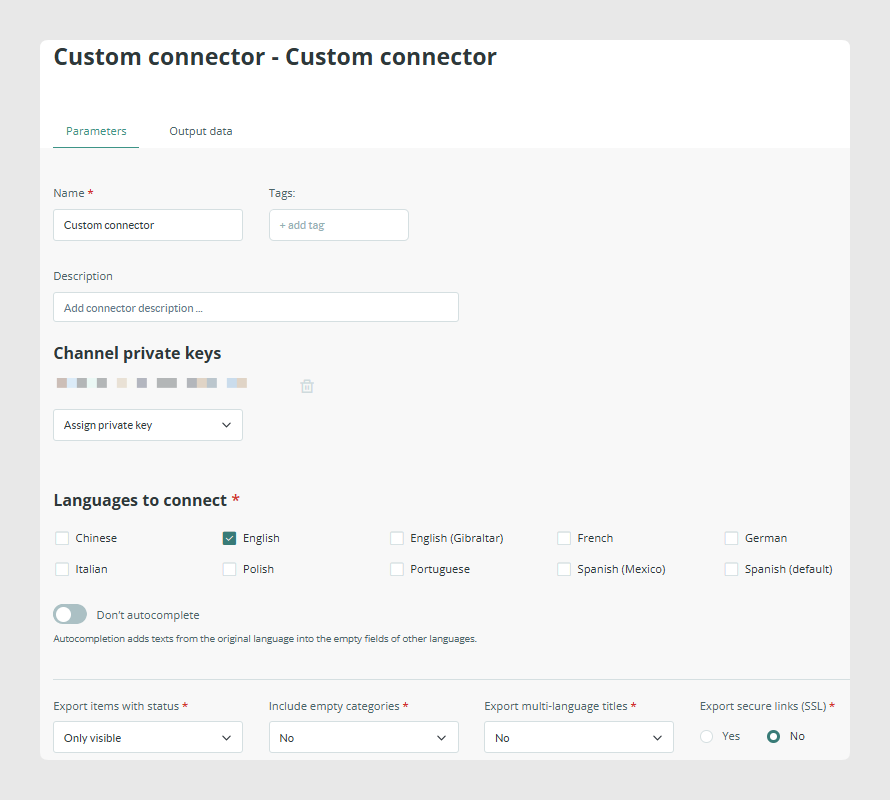
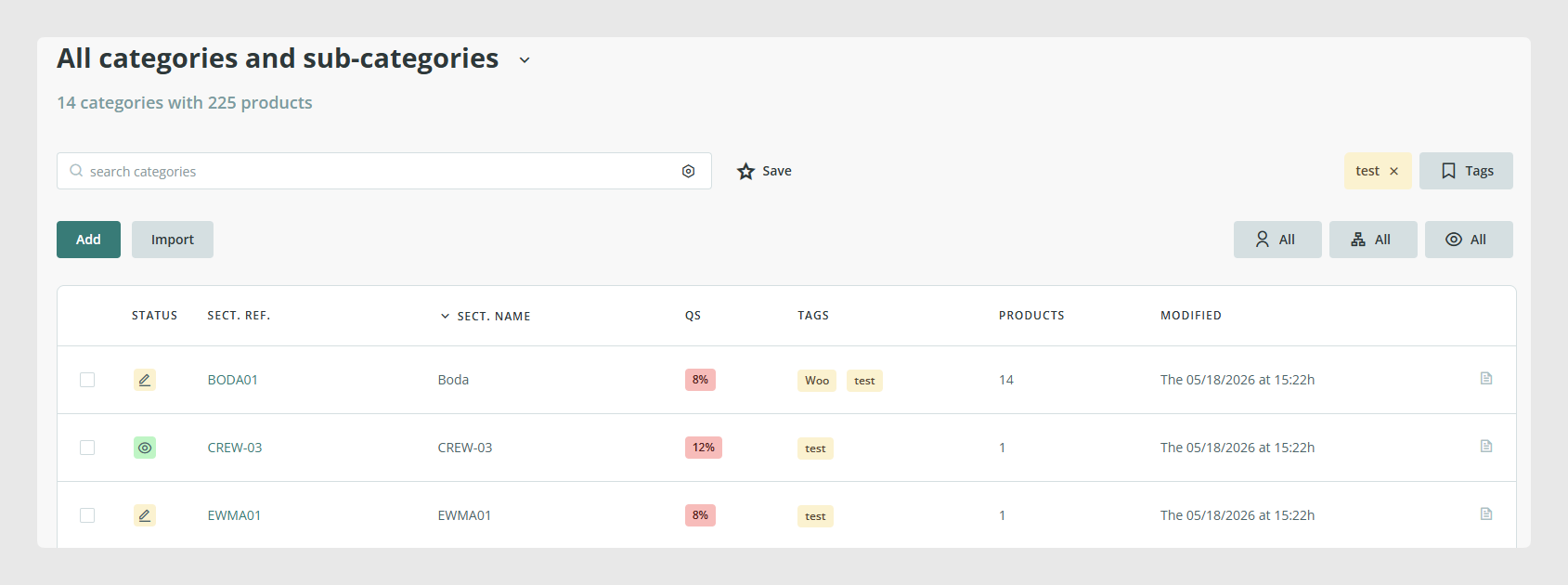
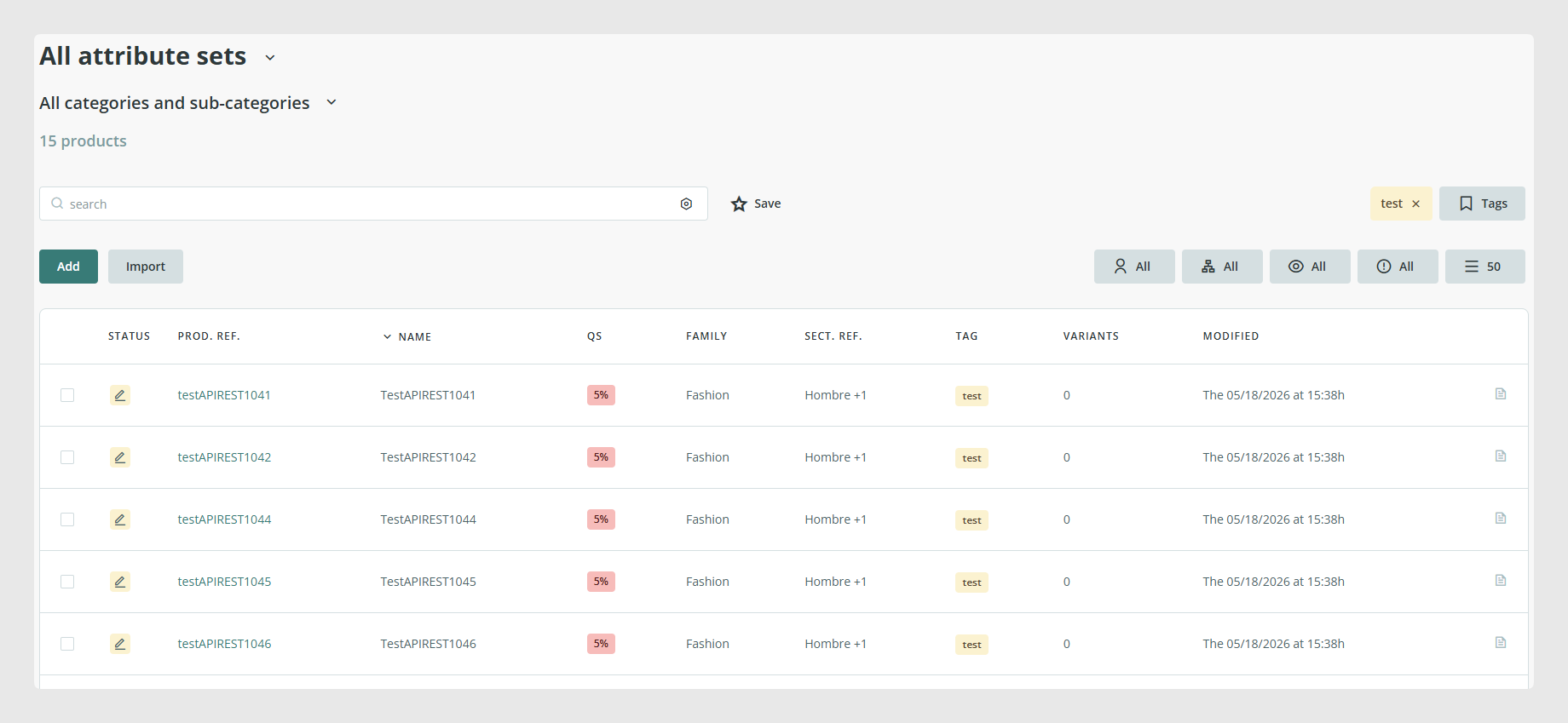
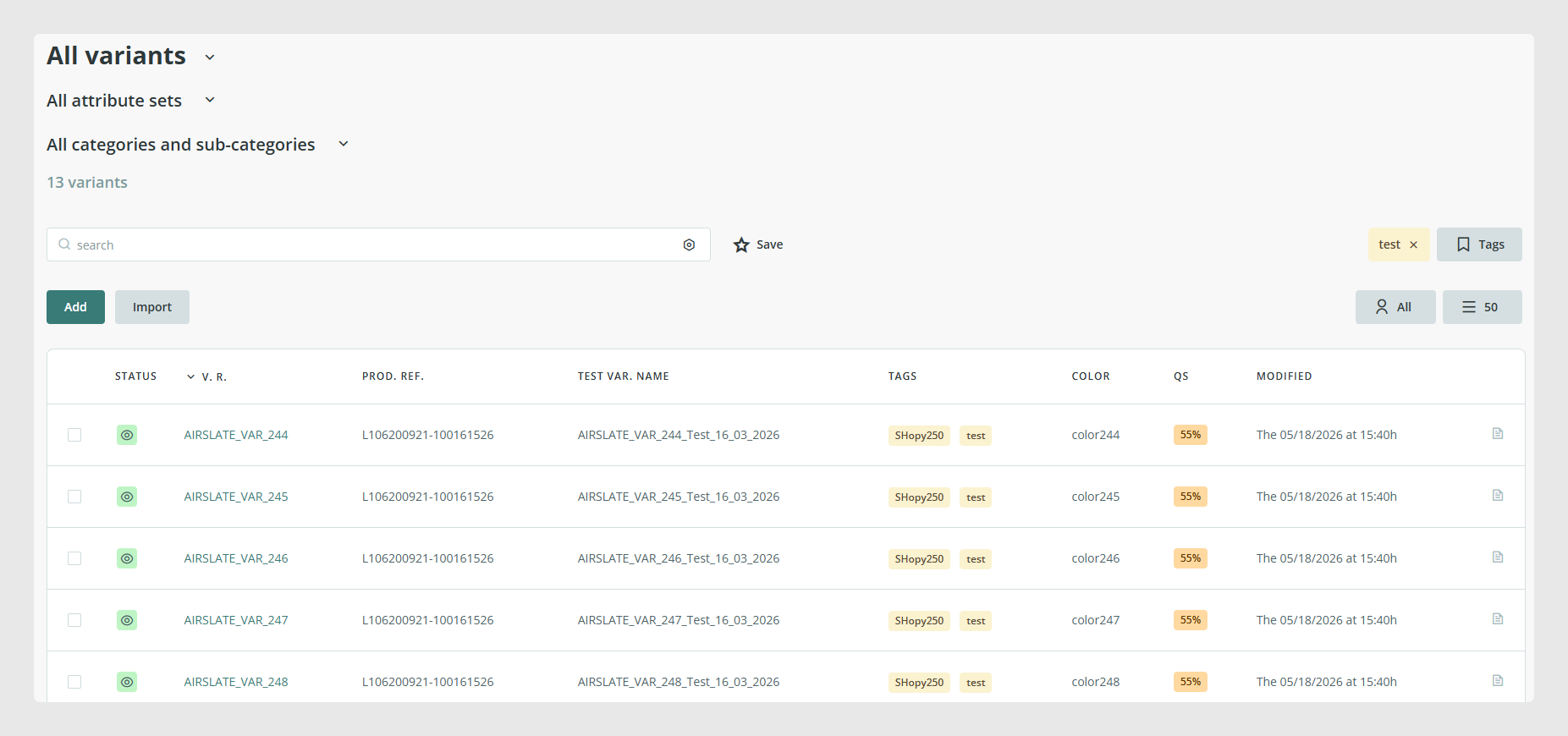
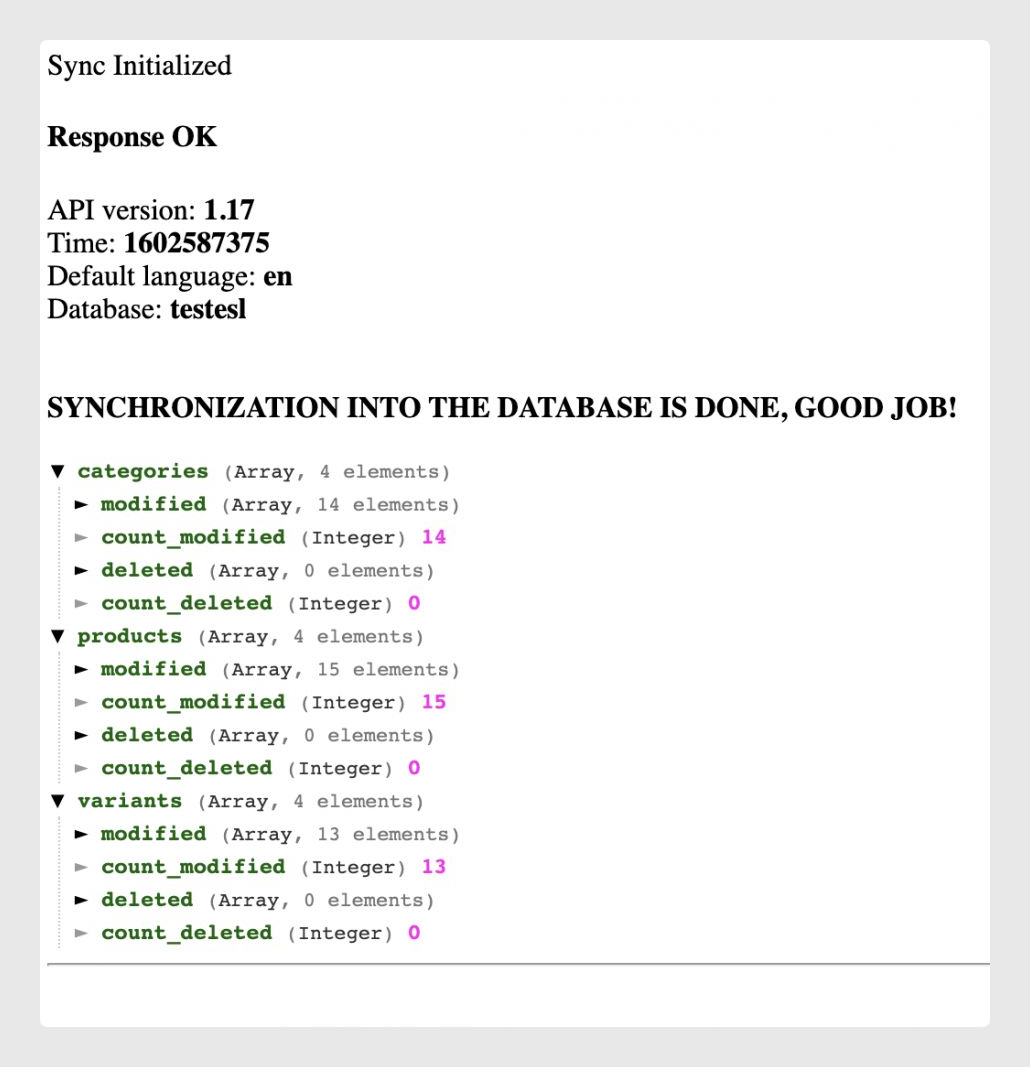
For the demonstration, 14 categories, 15 random products, and 13 related variants are set as visible.
Code
The script first defines the database credentials, then the Sales Layer connector credentials, and finally creates a SalesLayer_Updater() object with all of them.
<?php

define('LOC_BASE', dirname(__FILE__) . '/');

require(LOC_BASE.'SalesLayer-Updater.php');

require(LOC_BASE.'lib/nice_r-master/Nicer.php');

?>


<!DOCTYPE html>

<html dir="ltr" lang="en-US">

<head>

    <link rel="stylesheet" type="text/css" href="lib/nice_r-master/nice_r.css?version=<?php echo filemtime(LOC_BASE.'lib/nice_r-master/nice_r.css'); ?>"/>

    <script type="text/javascript" src="lib/nice_r-master/nice_r.js?version=<?php echo filemtime(LOC_BASE.'lib/nice_r-master/nice_r.js'); ?>"></script>

</head>

<body>

    <?php


    //DB credentials

    $dbname       = 'testesl';

    $dbhost       = 'localhost';

    $dbusername   = 'root';

    $dbpassword   = 'root';


    //SL credentials

    $connector_id = 'CN12347H3308C4486';

    $secret_key = '7aeb575d9bf15bfa238e8f01842417a2';


    //Create object with the credentials of the connector and database

    $SLConn = new SalesLayer_Updater ($dbname, $dbusername, $dbpassword, $dbhost, $connector_id, $secret_key);


    $SLConn->update();


    echo "Sync Initialized";


    if ($SLConn->has_response_error()) {


        echo "<h4>Error:</h4>\n\n Code: ".$SLConn->get_response_error().

             "<br>\nMessage: ".           $SLConn->get_response_error_message();


    } else {


        echo "<h4>Response OK</h4>\n".

             "<p>".

             "API version: <b>".            $SLConn->get_response_api_version()          ."</b><br />\n".

             "Time: <b>".                   $SLConn->get_response_time('unix')                 ."</b><br/>\n".

             "Default language: <b>".       $SLConn->get_response_default_language()     ."</b><br/>\n".

             "Database: <b>".       $SLConn->database     ."</b><br/><br />\n".

             "<br><b>SYNCHRONIZATION INTO THE DATABASE IS DONE, GOOD JOB!</b>".

             "</p>";


            $n = new Nicer($SLConn->get_response_table_data());

            $n->render();

            echo "<hr/>";


    }

    ?>

    </body>

</html>Warning: the SDK can create the tables and fields inside an existing database, but it does not create the database itself. The database must already exist before running the script.
The export is triggered with the update() function. Every time this function runs, the current synchronization date is stored in the database so the next call can export only the modified items.
Execution and results
After running the script, the visible items are exported and synchronized into the database.
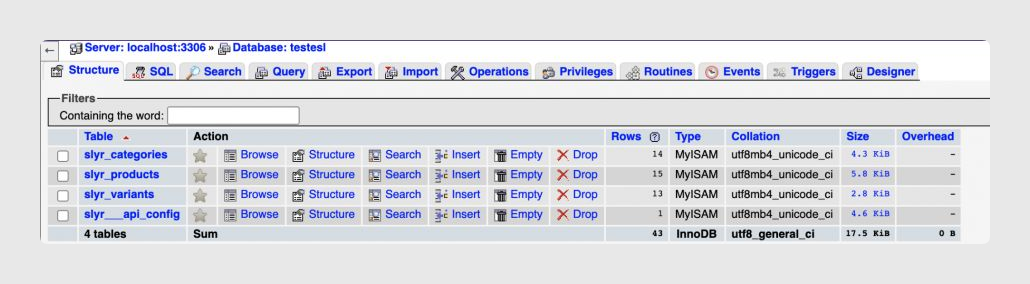
The database ends up with four data tables, one per exported structure, plus an additional configuration table used by the SDK.
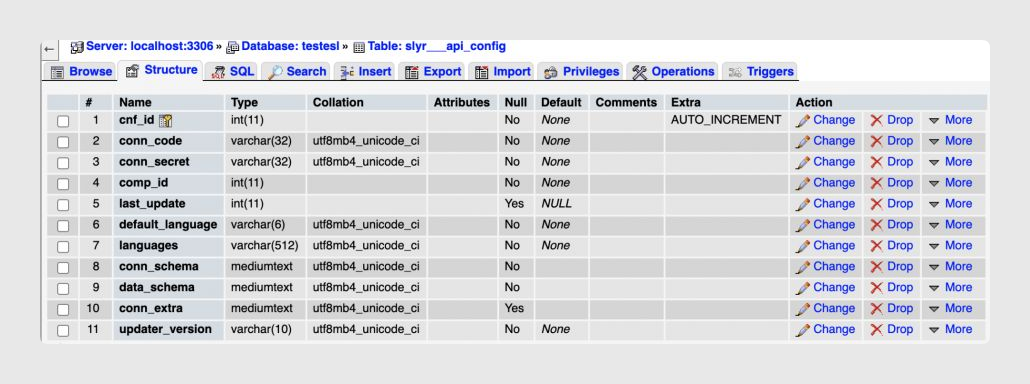
The extra table, slyr___api_config, stores connector configuration details such as last_update and data_schema. These values are reused in future synchronizations.
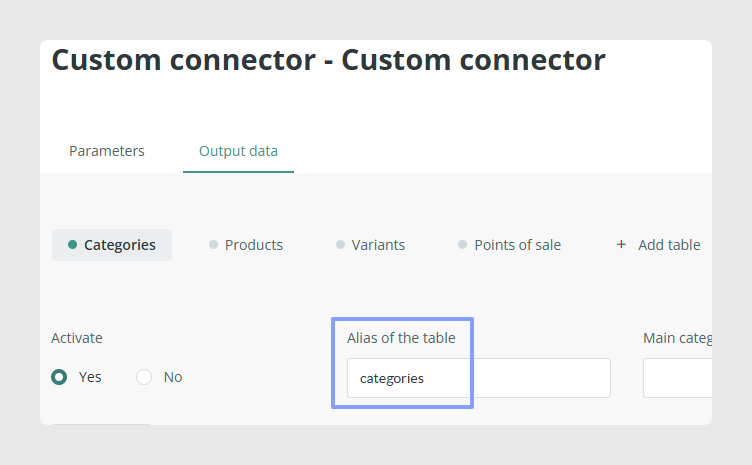
If needed, you can customize table names by setting a prefix with the set_table_prefix() method and combining it with the table alias defined in the connector.
Was this article helpful?
That’s Great!
Thank you for your feedback
Sorry! We couldn't be helpful
Thank you for your feedback
Feedback sent
We appreciate your effort and will try to fix the article