Exporting to a database
This type of export can only push the data into the db using “SDK_export_DB.php” thus, the db must exist beforehand. The first step is creating the db and collecting its credentials that will be necessary to perform the call.
In terms of the code, the new part includes the definition of the db credentials and using them to define the object based on the “SalesLayer-Updater.php” as this time the functions of this code will be used instead of the “SalesLayer-Conn.php” from previous examples.
//DB credentials
$dbname='db_name';
$dbhost='host_id';
$dbusername='user';
$dbpassword='password if applies';
//SL credentials
$connector_id='CN11111H1111C1111';
$secret_key='abc1defghi2jklm3nop4qrs5tuv6wxy7z';
// Create object with the credentials of the connector and database
$SLUpd=newSalesLayer_Updater($dbname,$dbusername,$dbpassword,$dbhost,$connector_id,$secret_key);
Another difference is that the “last_update” parameter use is automatic in this type of export and only the items modified after the previous update will be exported on every new call.
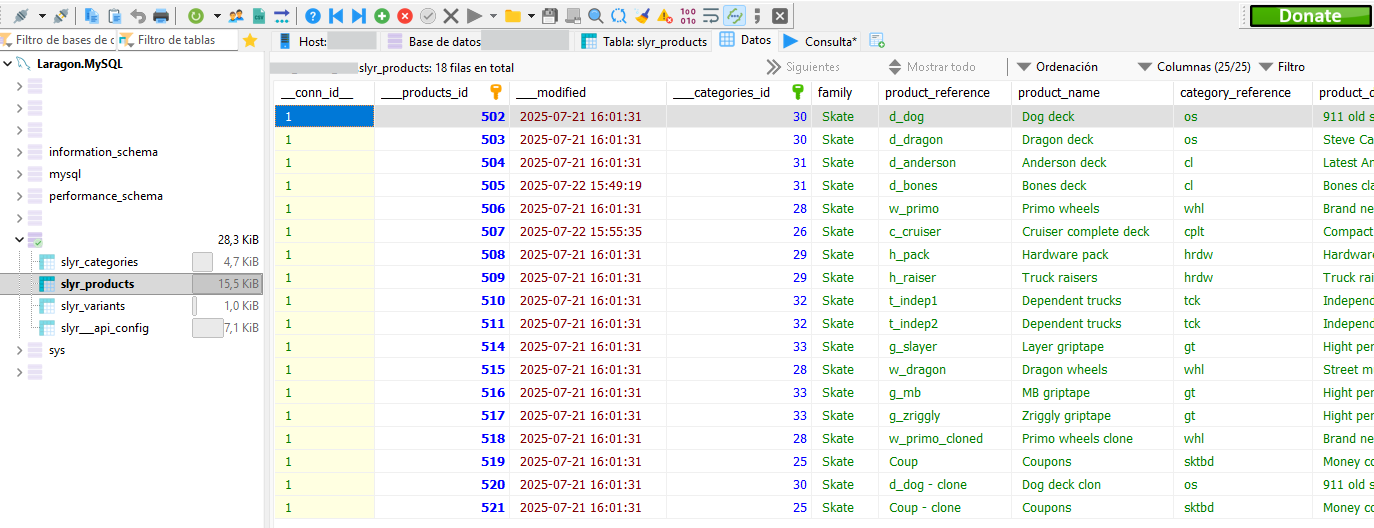
The exported data will be organized in the db according to the set up made upon its creation.
Was this article helpful?
That’s Great!
Thank you for your feedback
Sorry! We couldn't be helpful
Thank you for your feedback
Feedback sent
We appreciate your effort and will try to fix the article