Introduction and data structure
This first example shows a simple export through the API of all the items that are set as visible in a PIM account.
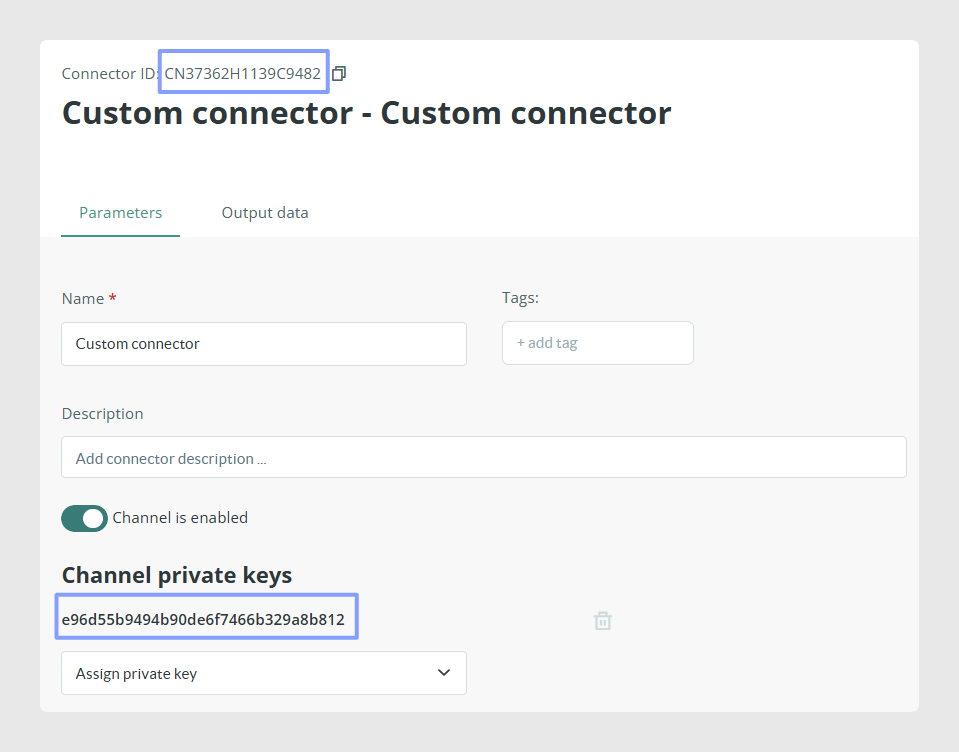
Start by creating a generic export connector. In the Channel Marketplace, select the first connector.
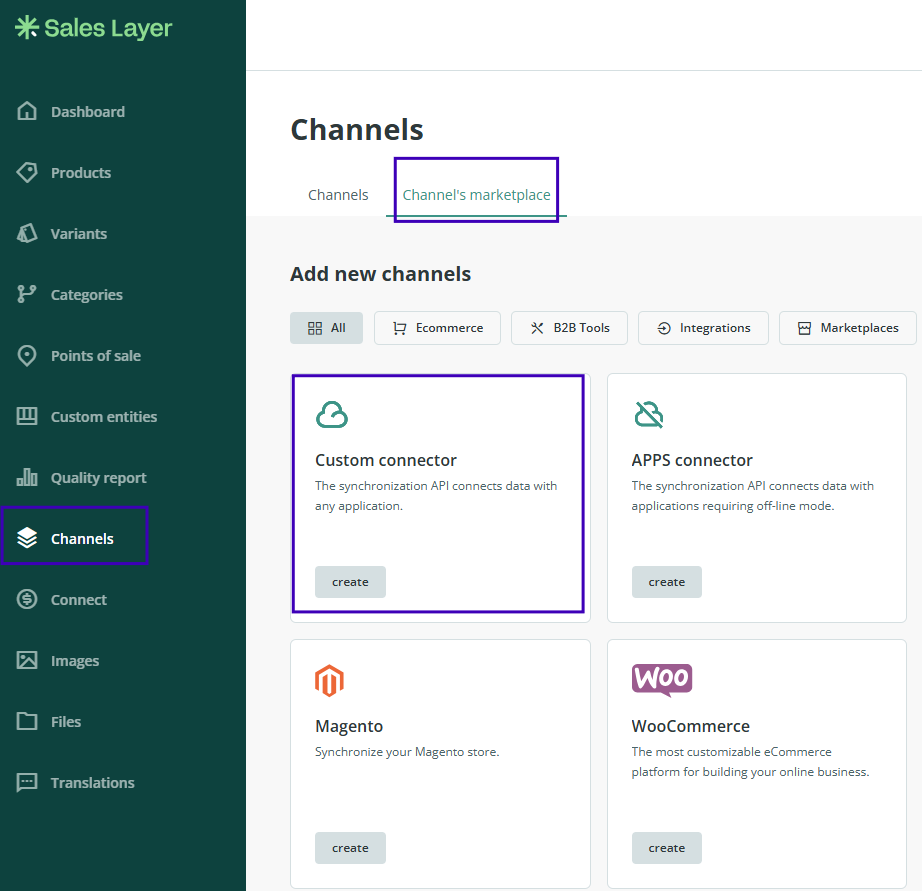
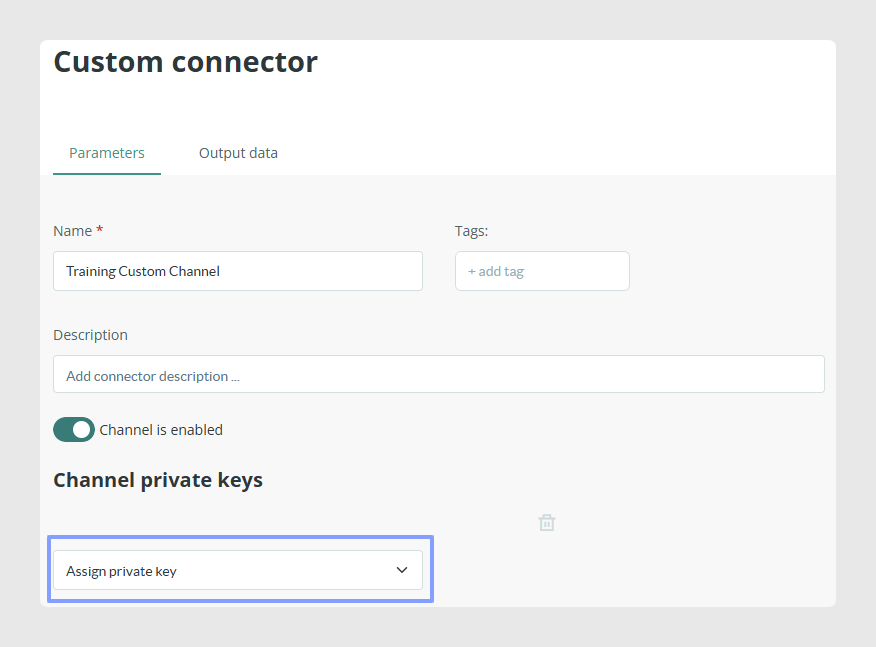
On the Parameters page, choose a private key to secure the data transfer.
On the same page, select the languages to connect and the status of the items to export.
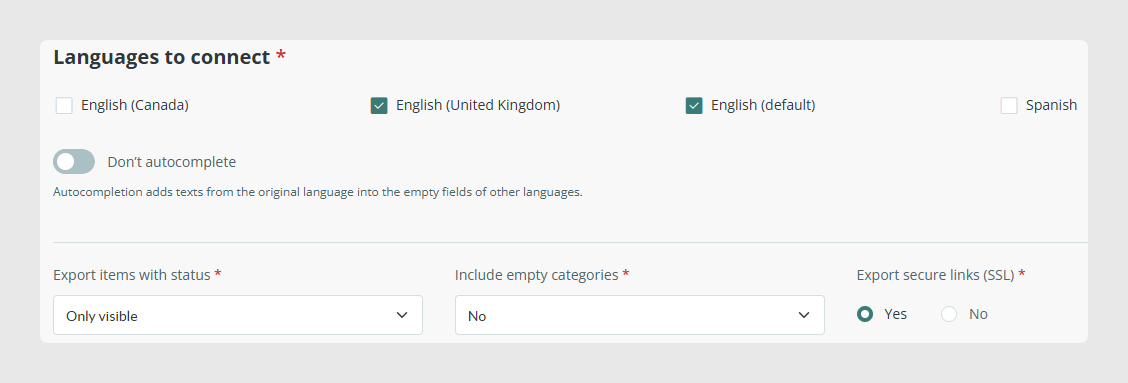
In this example, we connect only English and export only items in visible status.
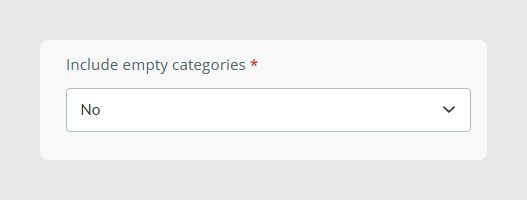
The Include empty categories option controls whether categories without items are exported. Export multi-language titles controls whether field titles are returned in translated languages or only in the main language.
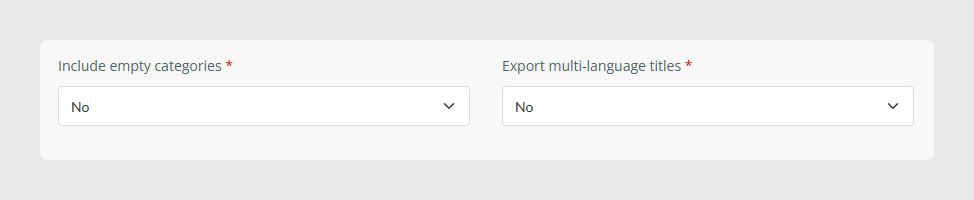
With the configuration shown in the screenshot, empty categories and multi-language titles are not exported.
Next, go to Output Data and configure the tables and fields you want to export.
For this example, we keep the export small and select only a few fields from each table.
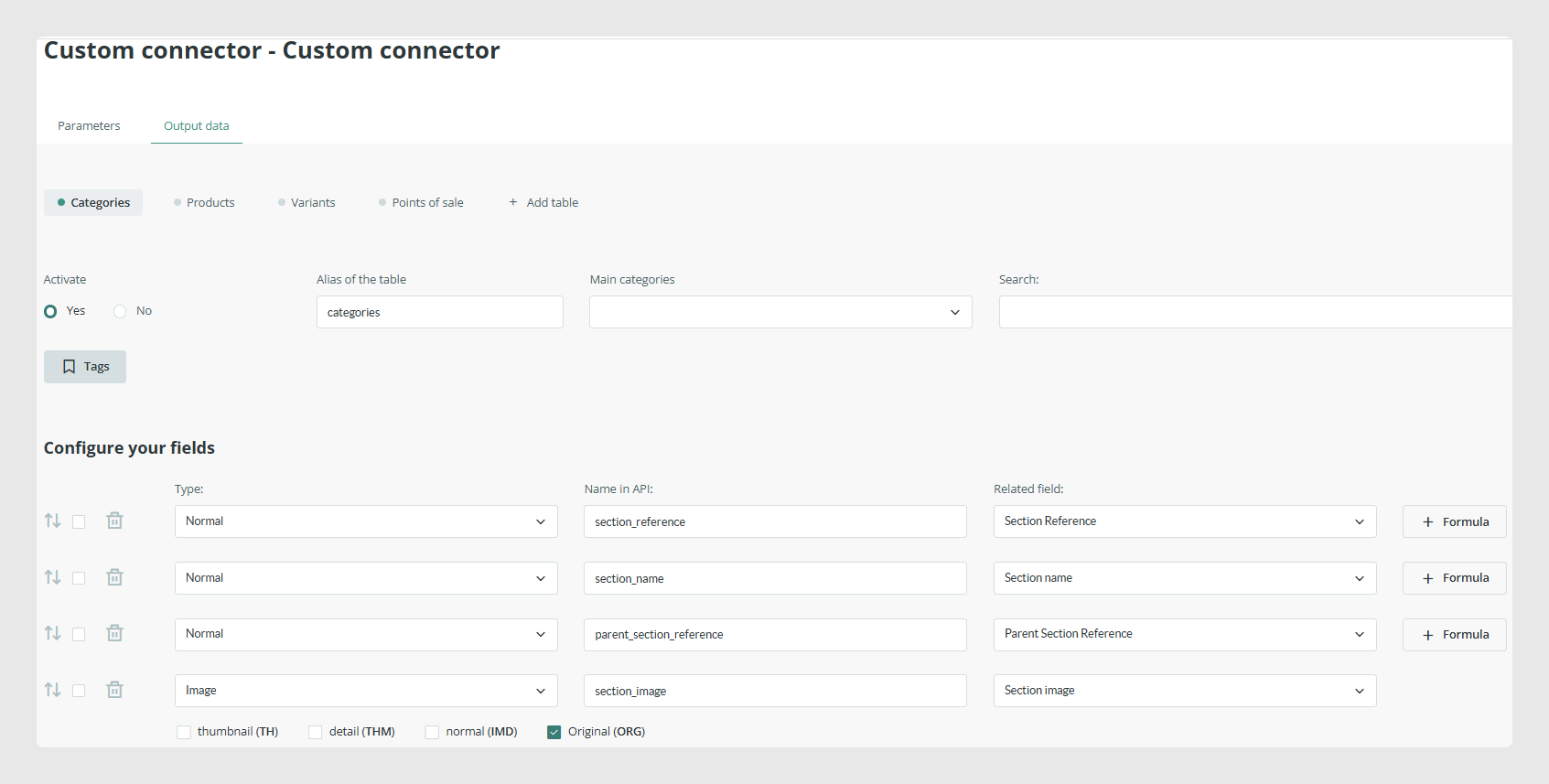
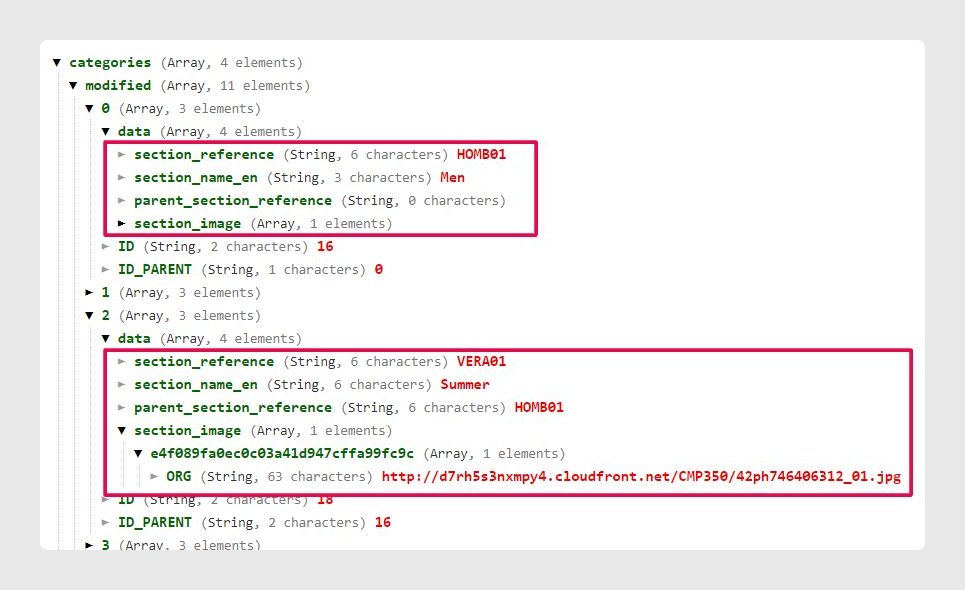
In Categories, we choose Reference, Name, Parent Category Reference, and Image.
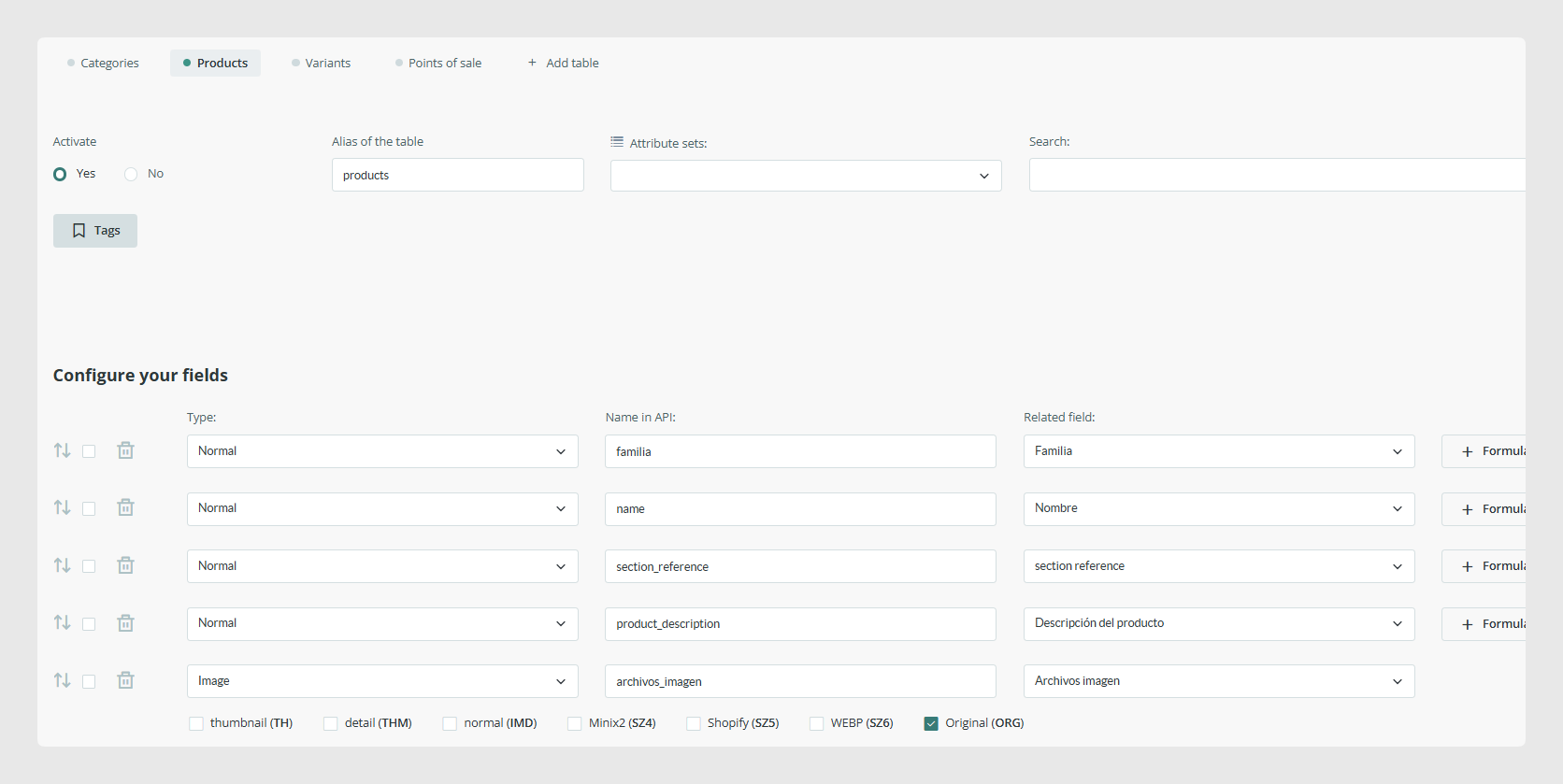
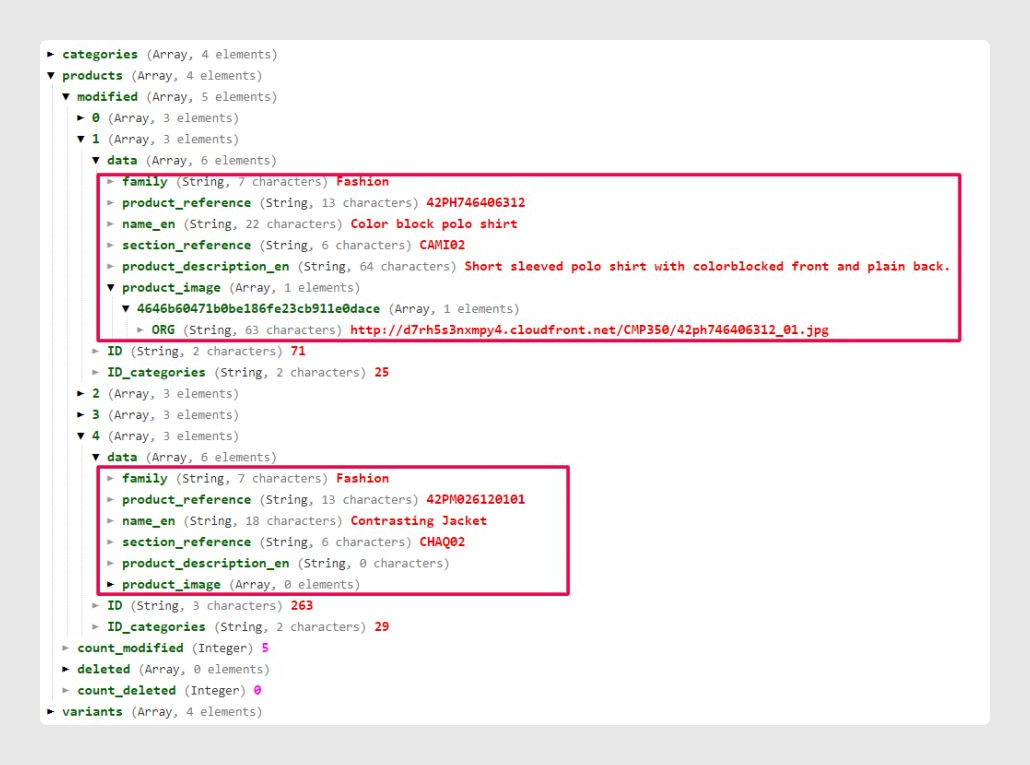
In Products, we choose Reference, Name, Category Reference, Description, and Image.
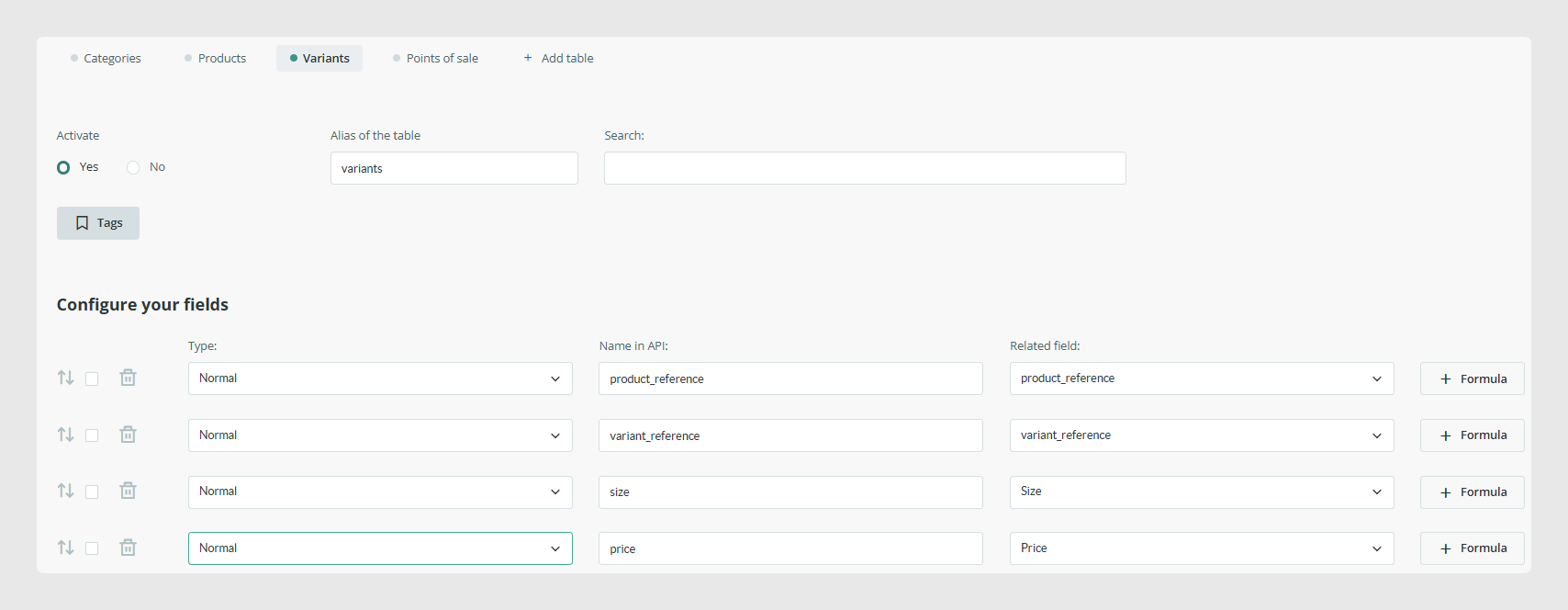
In Variants, we export Variant Reference, Product Reference, and two variable attributes: Size and Price.
After saving the connector, it is ready for the first API call.
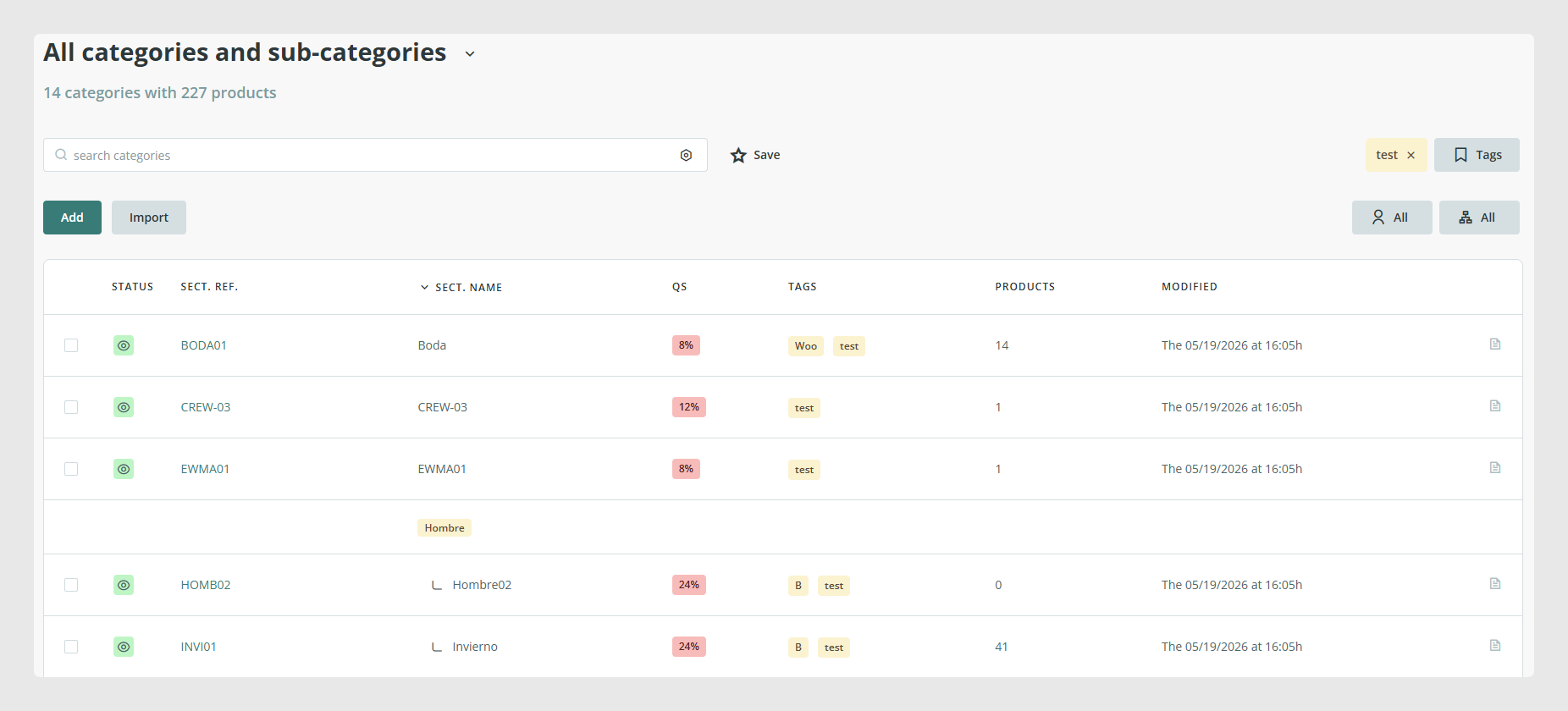
Since no extra filters were configured, the only filter that applies is the item status.
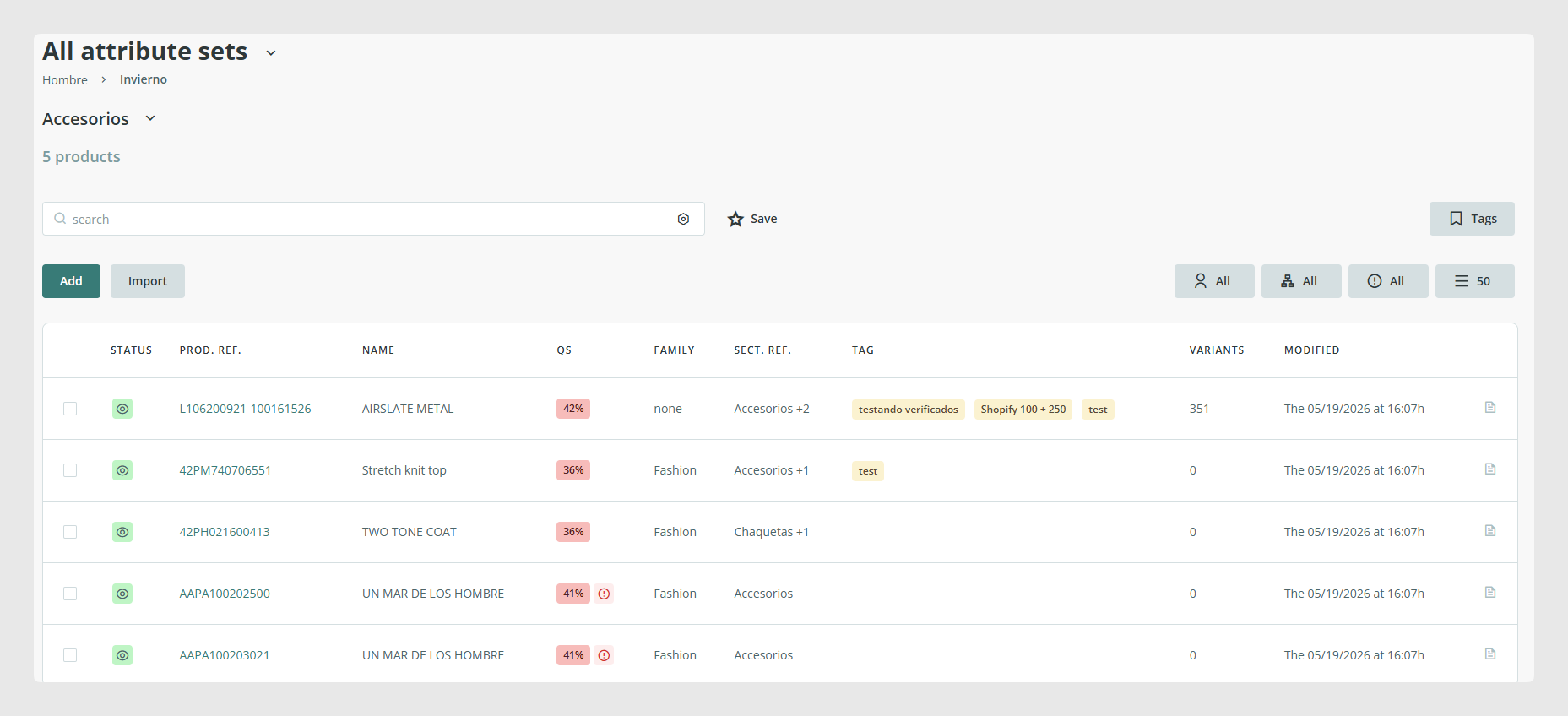
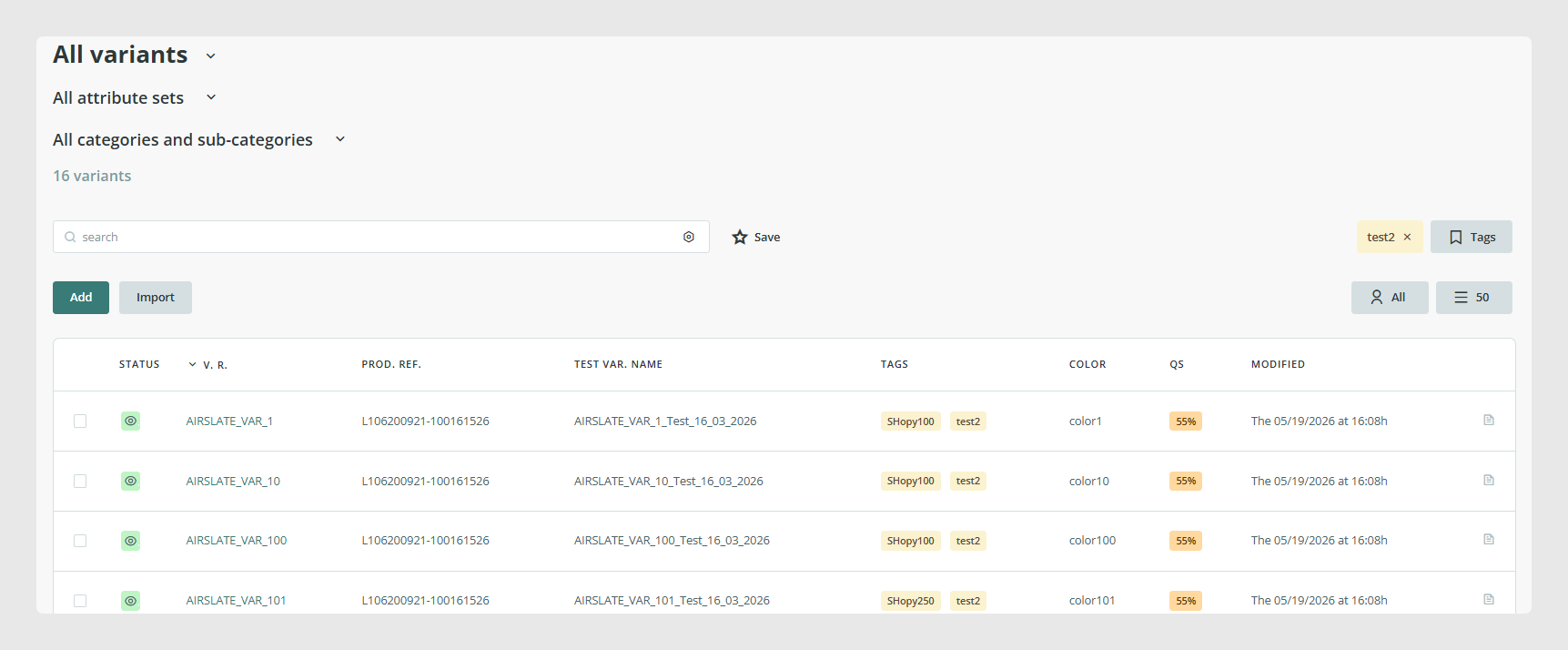
In this setup, we have 14 visible categories, 5 visible products, and 16 visible variants.
Code
The script starts by creating a SalesLayer_Conn() object with the connector credentials. The connector code is stored in $connector_id and the secret in $secret_key.
Then it calls get_info() to export the configured data. In this first synchronization, $last_update is set to 0.
If the API returns no error, the script prints the API version, the UNIX timestamp of the request, the default PIM language, and the exported table data using the Nice_r library.
<?php
define('LOC_BASE', dirname(__FILE__) . '/');
require(LOC_BASE.'SalesLayer-Conn.php');
require(LOC_BASE.'lib/nice_r-master/Nicer.php');
?>

<!DOCTYPE html>
<html dir="ltr" lang="en-US">
<head>
    <link rel="stylesheet" type="text/css" href="lib/nice_r-master/nice_r.css?version=<?php echo filemtime(LOC_BASE.'lib/nice_r-master/nice_r.css'); ?>"/>
    <script type="text/javascript" src="lib/nice_r-master/nice_r.js?version=<?php echo filemtime(LOC_BASE.'lib/nice_r-master/nice_r.js'); ?>"></script>
</head>
<body>
    <?php
    //SL conector credentials
    $connector_id = 'CN12347H3308C4486';
    $secret_key = '7aeb575d9bf15bfa238e8f01842417a2';

    $last_update= "0";

    //Create object with the credentials on the connector in S
    $SLConn = new SalesLayer_Conn ($connector_id, $secret_key);

    //API call to export the information
    $SLConn->get_info($last_update);

    if ($SLConn->has_response_error()) {
        echo "<h4>Error:</h4>\n\n Code: ".$SLConn->get_response_error().
             "<br>\nMessage: ".           $SLConn->get_response_error_message();
    } else {
        echo "<h4>Response OK</h4>\n".
             "<p>".
             "API version: <b>".            $SLConn->get_response_api_version()          ."</b><br />\n".
             "Time: <b>".                   $SLConn->get_response_time('unix')                 ."</b><br/>\n".
             "Default language: <b>".       $SLConn->get_response_default_language()     ."</b><br/><br />\n".
             "</p>";

        //Print response from API
        $n = new Nicer($SLConn->get_response_table_data());
        $n->render();
        echo "<hr/>";
    }
    ?>
</body>
</html>
Execution and results
After running the script, the response returns 11 categories, 5 products, and 6 variants.
- 11 categories
- 5 products
- 6 variants
The category count is lower than the visible total because the connector is configured not to export empty categories. Categories without products are excluded from the response.
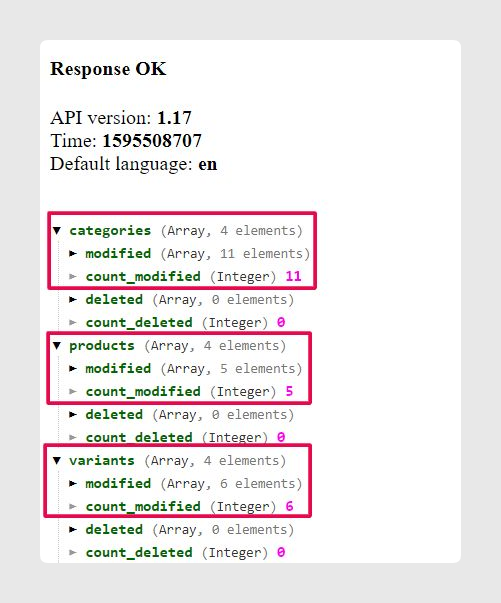
The same applies to variants. Even though all 16 variants are visible, the API exports only the variants whose parent products are included in the export. In this example, only 2 of the 5 visible products have variants, so only those variants are returned.
You can also verify the fields exported in each table by reviewing the category, product, and variant results.
Was this article helpful?
That’s Great!
Thank you for your feedback
Sorry! We couldn't be helpful
Thank you for your feedback
Feedback sent
We appreciate your effort and will try to fix the article