Sales Layer API 1.18 is designed for bulk data extraction and insertion. Unlike version 2.0, this version focuses on scenarios where you need to move large volumes of information efficiently.
This version uses connectors as the integration mechanism. Through them, you can define how information is structured and how it is exchanged between Sales Layer and other systems.
What you can do with API 1.18
With this API, you can:
- Set up a connector based on each customer's needs.
- Model and transform data according to the structure you need.
- Retrieve information through GET calls.
- Import data through POST calls.
Overall, this functionality provides a standardized way to connect external systems, process information, and consume it directly through API requests.
Service URL
The service is available through this URL:
https://api.saleslayer.com
Required setup
To extract or insert data through the Sales Layer API, you need to configure at least one of these connectors:
- A Custom connector for exports connector for data extraction.
- An import connector for data input.
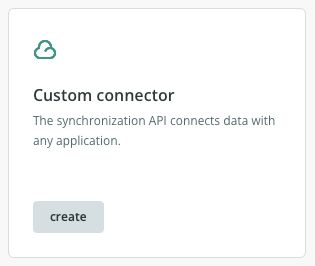
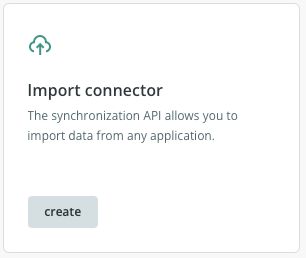
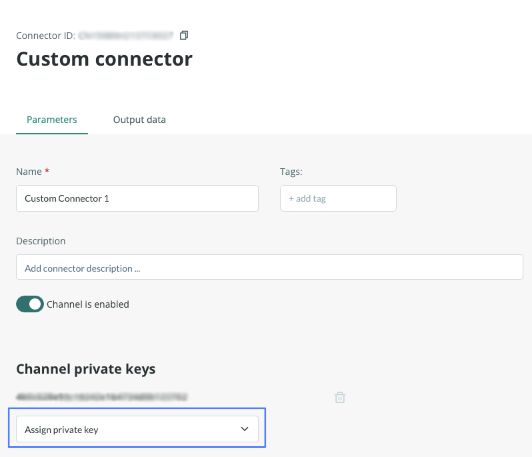
In addition, connectors must be secured with a token. This option is available in the parameters tab of each connector.
General architecture
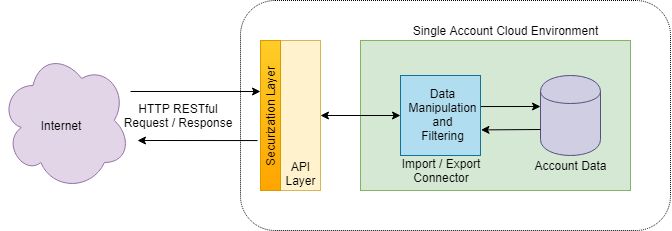
The following diagram shows the architecture for inbound and outbound requests to the API service:
Exchange format
As this is a RESTful web service, you can exchange data with the PIM from different programming languages. Information is sent in JSON, a widely used format compatible with technologies such as Java, JavaScript, PHP, C, and Python.
Based on the connector configuration, all data matching those filters will be transferred.
Available SDK
Sales Layer provides a PHP integration SDK with examples for these scenarios:
- Simple export.
- Database export.
- PIM import.
Workflow example
The API is prepared to send all changes made in Sales Layer.
- During the first synchronization, all items included in the configured filters will be sent.
- After that first synchronization, only the items that have been modified will be sent.
Example: if the connector is configured to export only visible products and you change a product's status to invisible, the API will send it for deletion in the next synchronization. In subsequent calls, that product will no longer be reflected through the connector.
Was this article helpful?
That’s Great!
Thank you for your feedback
Sorry! We couldn't be helpful
Thank you for your feedback
Feedback sent
We appreciate your effort and will try to fix the article