Collections
Collections in Shopify do not have a status, but they do have visibility. Therefore, when they are excluded from a synchronization, their visibility follows the behavior defined in the connector parameters.
To manage collection availability across different sales channels, use the published_scope field.
Products
Shopify products can use three statuses:
- active: the product is ready to be sold in the store.
- archived: the product is no longer for sale.
- draft: the product is not ready for sale.
If the connector parameters are configured to export items with status All, products are synchronized as active regardless of their status in Sales Layer.
This behavior can be changed by mapping the Sales Layer Status field with the default Status field created in the connector. In that case:
- Visible in Sales Layer is synchronized as active in Shopify.
- Draft in Sales Layer is synchronized as draft in Shopify.
- Invisible in Sales Layer is synchronized as archived in Shopify.

If product statuses sent to Shopify need to be managed differently from the statuses used in Sales Layer, create a second field in the product form specifically for this purpose, for example Status Shopify.
This field can be mapped with the default Status field in the connector, so the connector uses the specific status values prepared for Shopify instead of the standard Sales Layer product status.
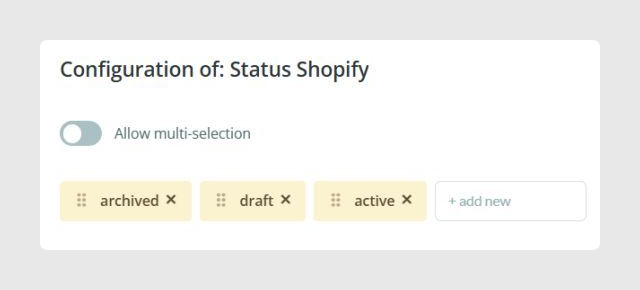
In the example shown in the article, Status Shopify is configured as a single-selection list with these values:
- active
- draft
- archived
The same values must be used if you prefer to work with a short text field instead of a list field.
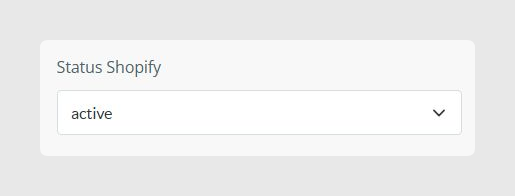
Once this field is configured, map it in the connector.

Variants
Variants in Shopify do not have their own status, so they cannot be archived or set to draft.
If the connector visibility filter in parameters is configured to export All statuses, all variants are created as active regardless of their status in Sales Layer.
If you want to manage this differently while still exporting all statuses, map the Status field in Variants. The connector interprets the values like this:
- V (Visible): create or update the variant.
- D (Draft): delete the variant.
- I (Invisible): delete the variant.
It is also important to consider Shopify internal IDs. When variants are excluded from a synchronization as defined in the connector parameters, Shopify deletes them and recreates them if they are later synchronized again, for example after changing their status back to visible.
Because of that, the new Shopify internal ID will not be the same as the previous one.
Was this article helpful?
That’s Great!
Thank you for your feedback
Sorry! We couldn't be helpful
Thank you for your feedback
Feedback sent
We appreciate your effort and will try to fix the article