Product vs. Variant Precedence
If a field is mapped both at the product level and at the variant level, the variant value takes precedence.
Field Mapping
Each connector field links directly to Google’s official documentation through the “i” information button, which specifies:
- Expected data type and format
- Value limits and permitted options
- Whether the field can repeat
- Any nested sub-fields
Please use that information to guide your Sales Layer mappings.

Mapping Sub-fields
Some Google tags include nested elements. For example, the <g:certification> field (see Google’s spec) can contain multiple sub-elements:
<g:certification>
  <g:certification_authority>EC</g:certification_authority>
  <g:certification_name>EPREL</g:certification_name>
  <g:certification_code>123456</g:certification_code>
</g:certification>
<g:certification>
  <g:certification_authority>ADEME</g:certification_authority>
  <g:certification_name>Vehicle_CO2_Class</g:certification_name>
  <g:certification_value>C</g:certification_value>
</g:certification>
Mapping process in Sales Layer:
- Create a Table-type field in your PIM.
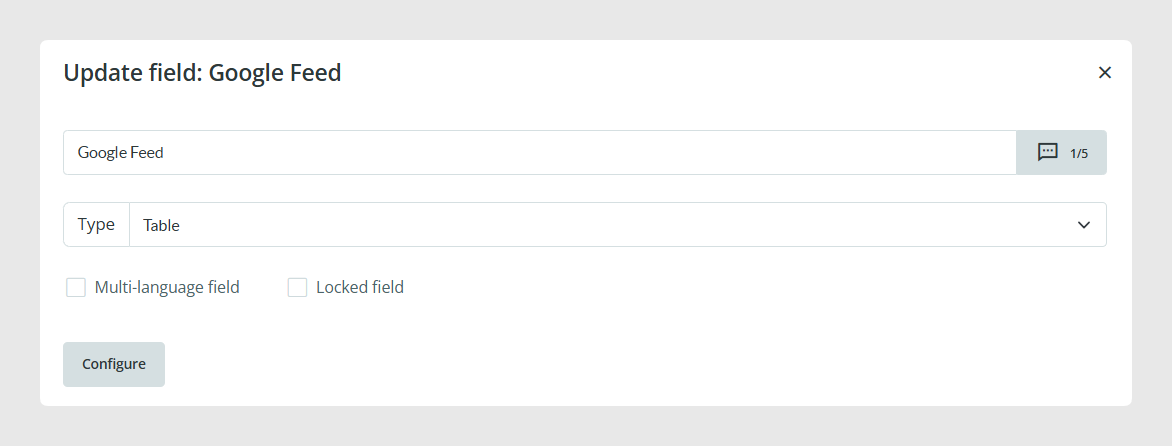
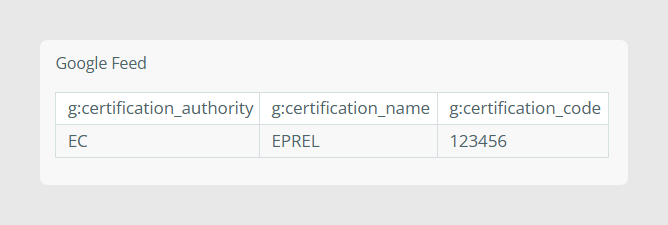
- Add columns named exactly as each sub-field (e.g. certification_authority, certification_name, certification_code).
- Populate rows with each certification’s values.
Advanced: Using Formulas
The XML fragments can also be generated via Sales Layer formulas.
Use these formulas to handle complex, conditional field logic without needing extra PIM fields.
Example 1: Static Tag Output
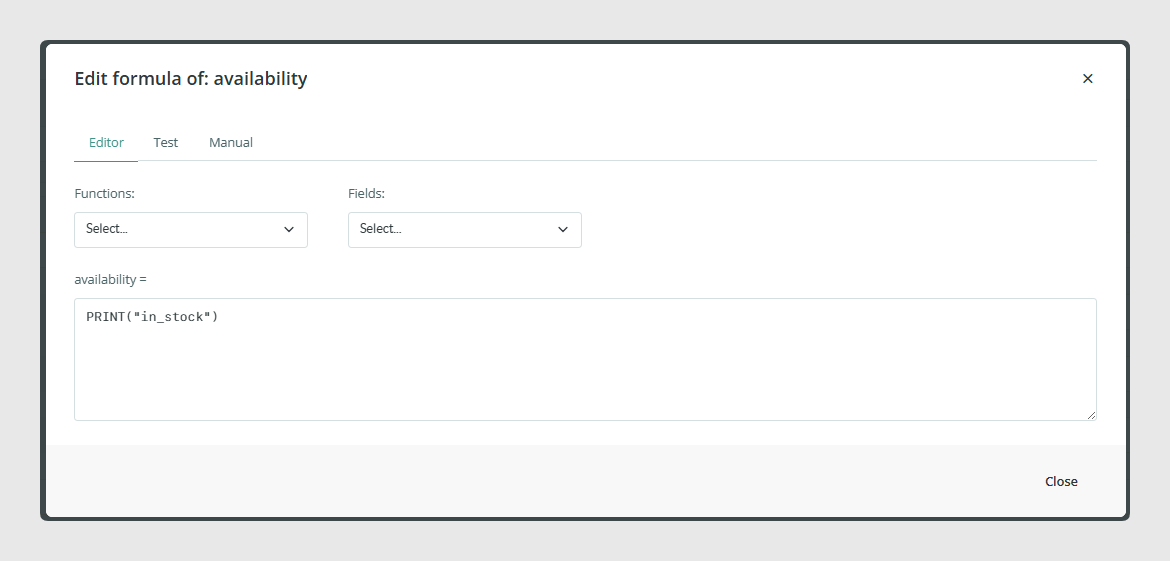
To force a single, constant value into a Google tag, use the PRINT function. The following example will set the availability of all items to “in_stock”.

Example 2: Conditional XML Fragments with CONCAT
Suppose the output should differ in <g:country> and <g:price> values based on shipping method and destination region. It can be achieved by using IF statements inside the CONCAT formula:
CONCAT(
  IF({ShippingMethod}="PostNL"
     AND CONTAINS(GET_VARIANTS_VALUES({SKU},"Region"),"BE"),
     "<g:country>BE</g:country><g:price>25.00 EUR</g:price>",
  IF({ShippingMethod}="PostNL"
     AND CONTAINS(GET_VARIANTS_VALUES({SKU},"Region"),"NL"),
     "<g:country>NL</g:country><g:price>7.50 EUR</g:price>",
  …)))
Was this article helpful?
That’s Great!
Thank you for your feedback
Sorry! We couldn't be helpful
Thank you for your feedback
Feedback sent
We appreciate your effort and will try to fix the article