Once the XML file is processed by Google Merchant Center, the platform provides clear feedback on the result of the import.
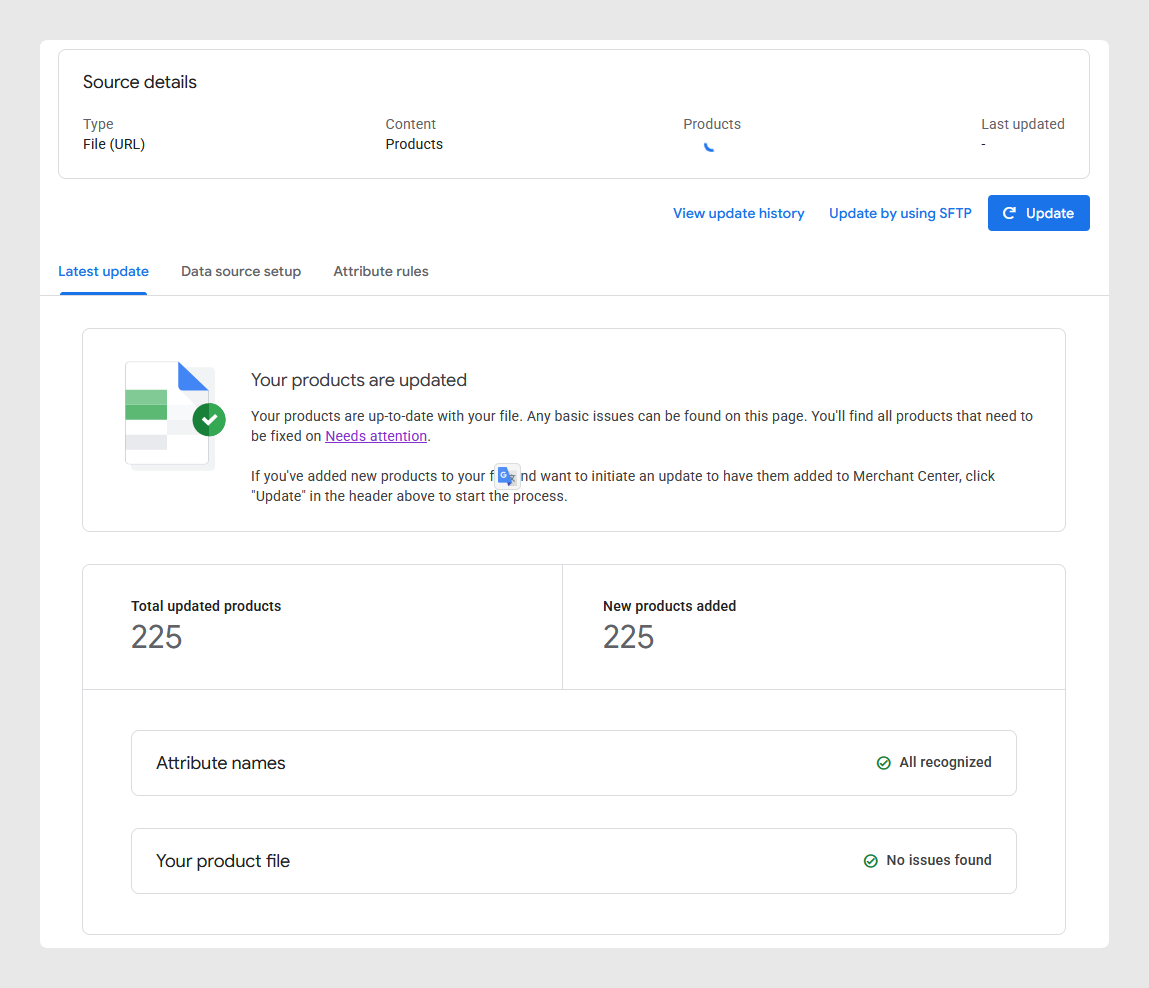
If there are no errors, a confirmation message of a successful update or import should be returned. The system will show the total number of updated items, and a green checkmark confirms that attribute names and the XML file are valid.
This means that the feed was parsed correctly and no structural or data issues were found.
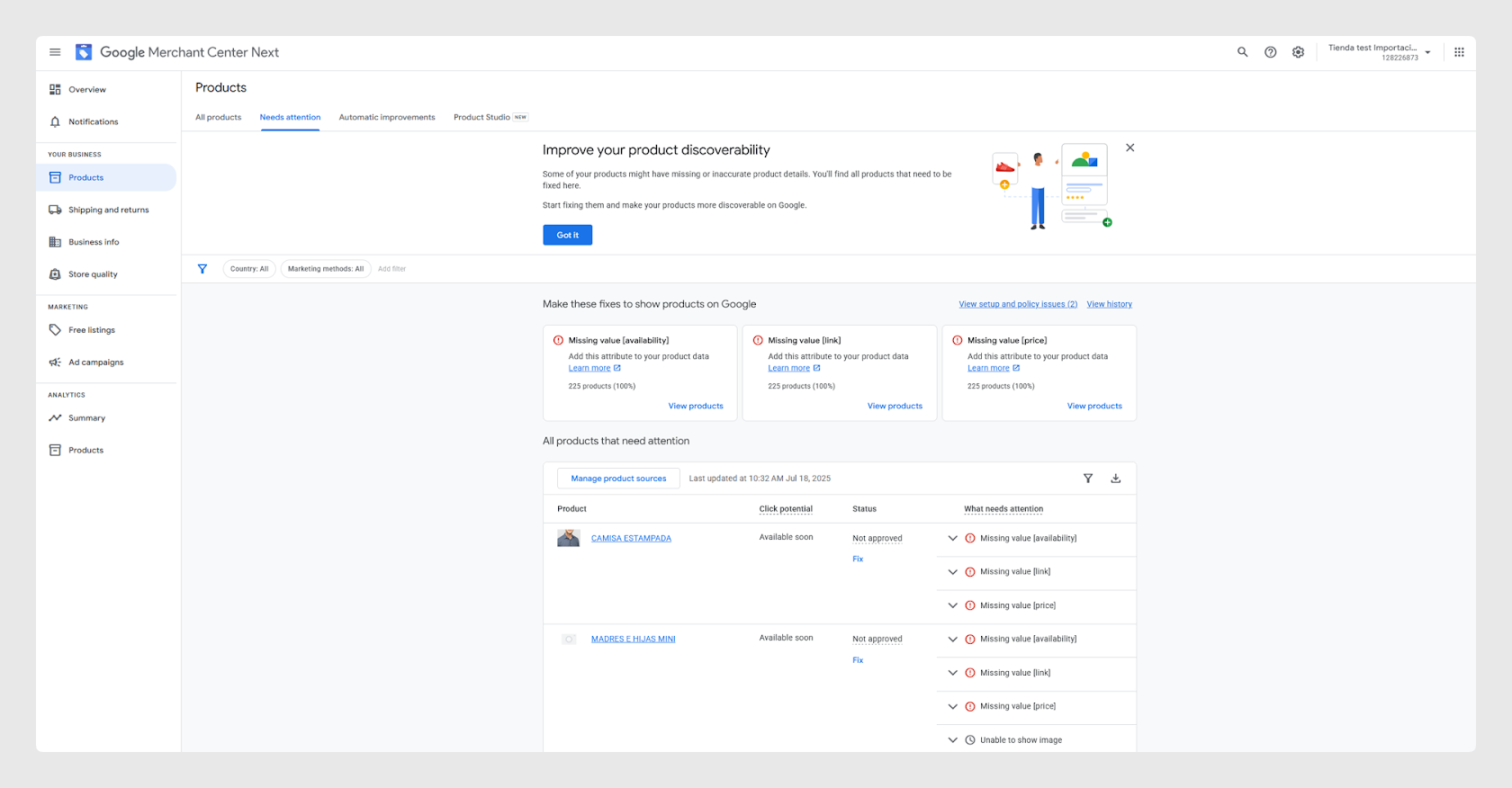
If there are errors, any product with missing or incorrect data will be listed in the Needs attention section under the Products tab. For each issue, Google indicates:
- Which products are affected
- What attribute is missing or invalid (e.g. availability, link, price)
- A direct “Fix” link to review or correct the issue
Common issues include:
- Required fields left blank
- Broken or unverified image or product links
- Prices without valid currency
- Items not approved due to policy violations
It’s highly recommended to regularly monitor this feedback to ensure the products are properly displayed in Google Shopping and troubleshoot any issues.
Was this article helpful?
That’s Great!
Thank you for your feedback
Sorry! We couldn't be helpful
Thank you for your feedback
Feedback sent
We appreciate your effort and will try to fix the article