The Sales Layer plugin in Magento offers sync tracking so you can check the whole synchronization process and review different errors.
Once the configuration is finished in Magento and Sales Layer, it is recommended to make a test synchronization before switching to automatic mode, to verify that the configuration is correct.
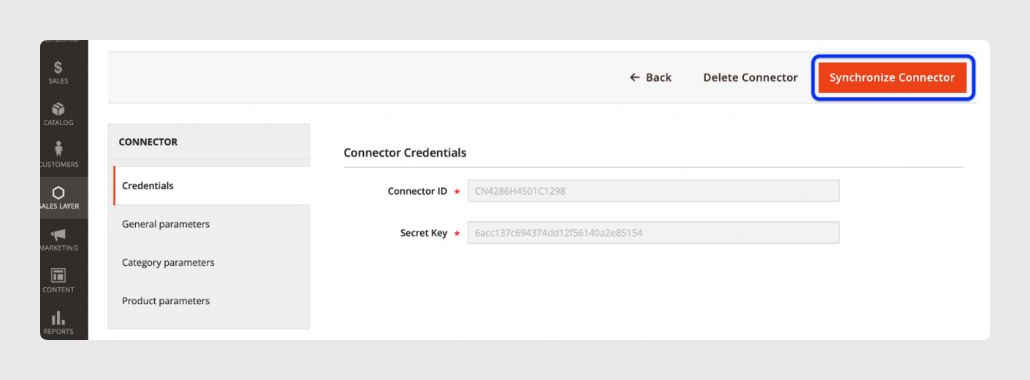
To test synchronization, use the Synchronize Connector button in the Magento configuration panel. This is more controlled and faster than setting up auto-synchronization.
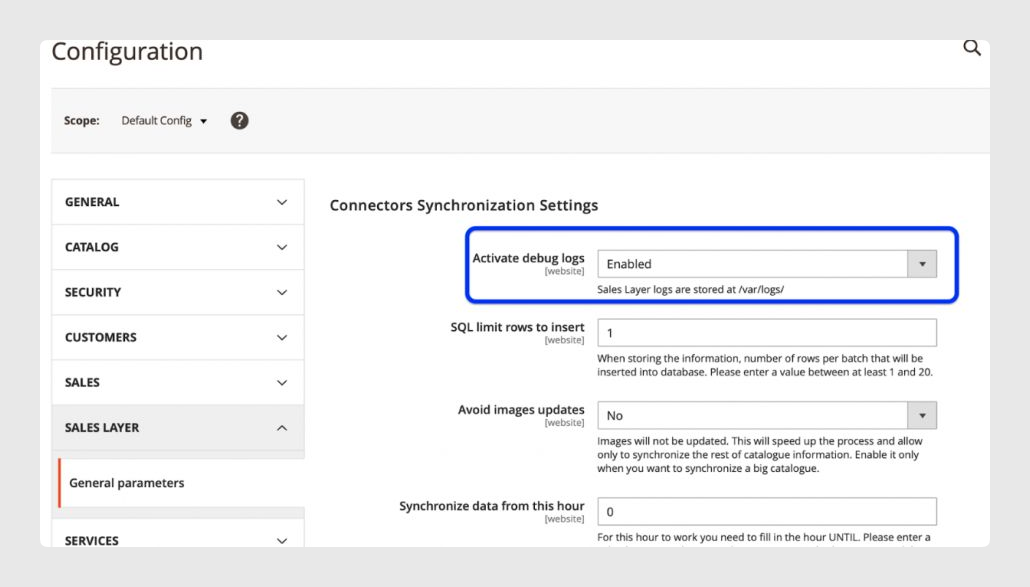
To enable logging, go to the plugin, select General Parameters, and enable debug.
After debugging, you can view the data from the log viewer in the plugin, or in the files inside the var/logs/sl_logs/ folder in the Magento installation.
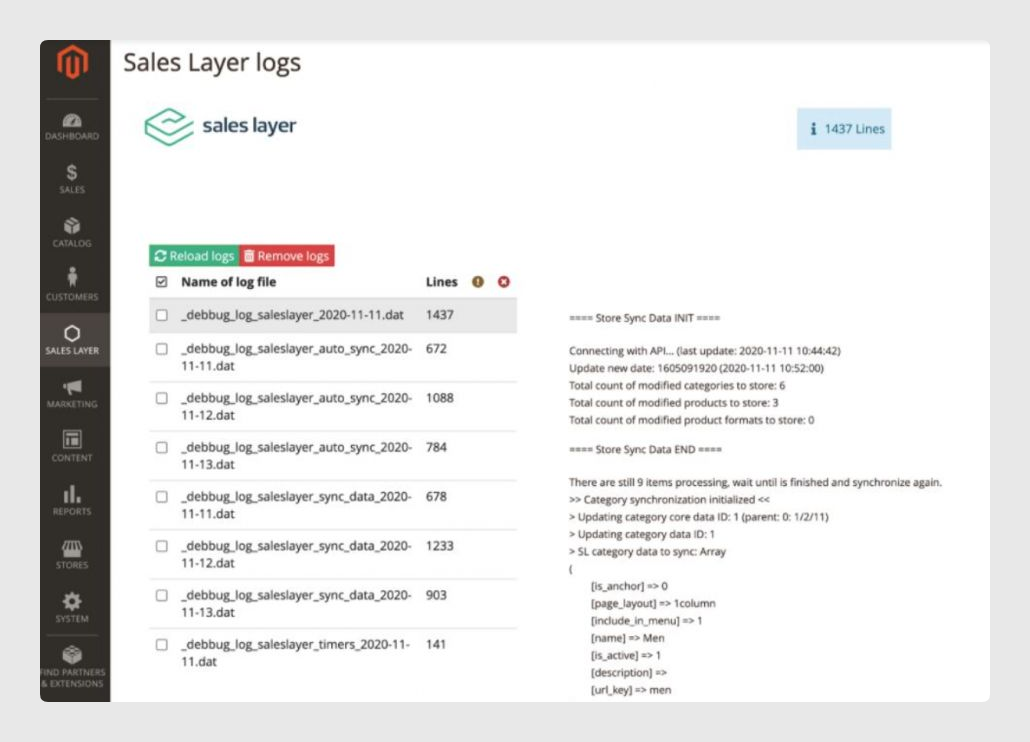
In the file listing, you will find the general files with the trace of the whole synchronization: _debbug_log_saleslayer_{sync_day}.dat, and a specific file for the errors generated by the synchronization: _error_debbug_log_saleslayer_{sync_day}.dat.
_debbug_log_saleslayer_timers_{sync_day}.dat shows the total time of the synchronization of each item, as well as the time required for some subprocesses.
Here is an example of a message in the errors file:
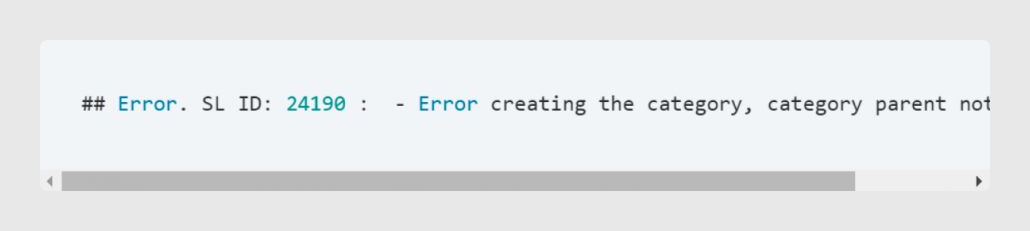
It indicates that the element ID in Sales Layer could not be generated because the associated parent category was not found. Because it could not be generated in Magento 2, its name is not known. You need to search for it in Sales Layer and correct the issue reported in the error message.
You can also check if your scheduled tasks, or cron jobs, have been executed correctly or if there is an error.
To do this in Magento, go to Reports > Cron Tasks.
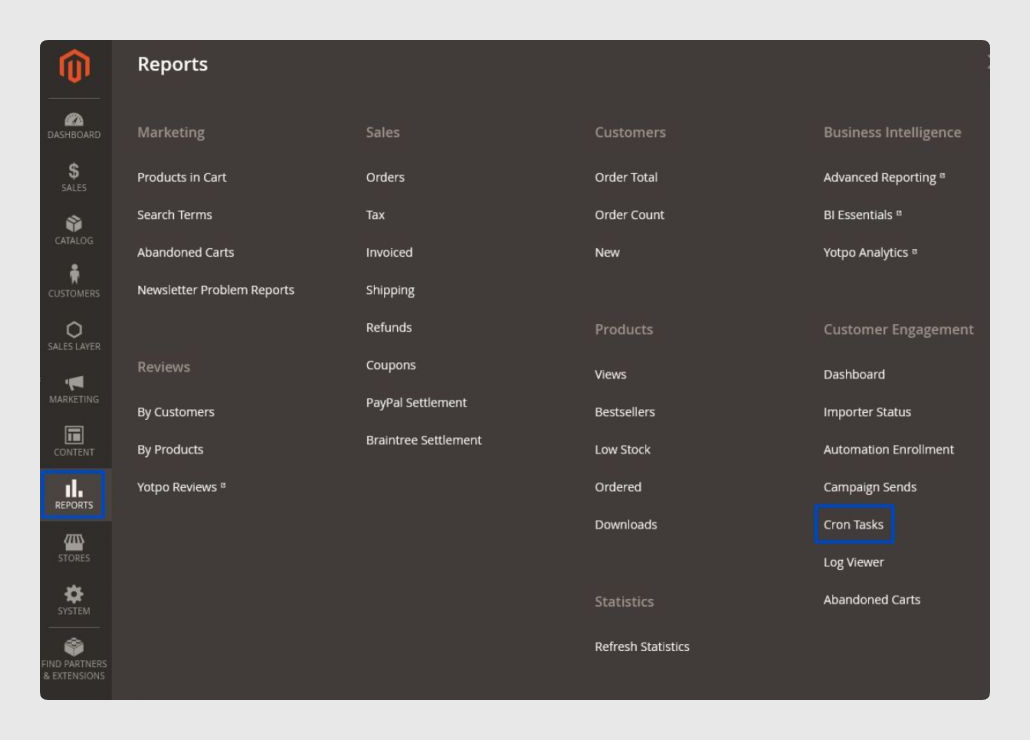
In Cron Tasks, you can see all tasks that are currently being executed, pending tasks, executed tasks, and errors.
Sales Layer has different crons, so it is important to filter by Job Code: saleslayer. To refine your search so it only shows errors, filter the status as an error.
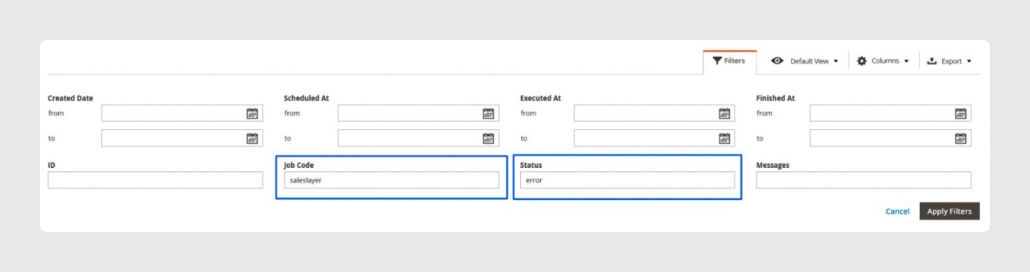
Once filtered, you can see the list of task errors that may be causing the Magento plugin to malfunction.
More information about errors that are not listed in Magento can be found:
- In the Apache server, in the nginx folder, containing the error.log file.
- In the var/log/ folder, where you can find the exception.log file.
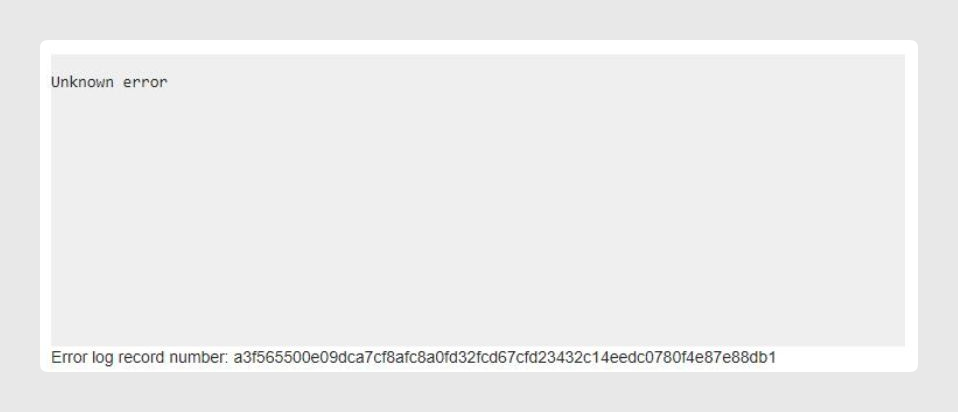
- In the var/report/XXXX folder, where XXXX is the error log record number that appears on screen.
Was this article helpful?
That’s Great!
Thank you for your feedback
Sorry! We couldn't be helpful
Thank you for your feedback
Feedback sent
We appreciate your effort and will try to fix the article