Warning: these fields are only available from version 2.6.0 of the Sales Layer plugin onwards. If you need to publish separate products for each website, configure the Websites field respectively in the Products and Variants tab.

The field can be linked to a list-type field, a text-type field, when multiple values are separated by commas, or a PRINT() formula with the website IDs separated by commas.
Once the item is synchronized, it will search for websites whose ID, code, or name are equal to the field values, and then sync these websites with the item.
If the field is not received from Sales Layer, the process will work as usual, dynamically linking to websites based on the Store Views configured in the Magento connector.
Example
You want to synchronize a product on several websites, but it has different values per Store View.
Your structure in Magento is the following:
- Website 1 > Store 1 > Store View 1
- Website 2 > Store 2 > Store View 2
You would need to create several connectors, one pointing to Store View 1:
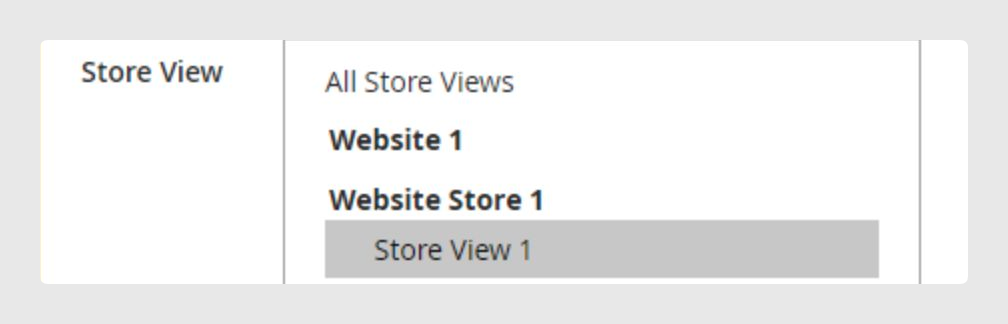
And the other pointing to Store View 2:
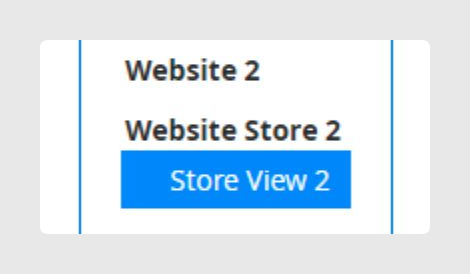
Each connector will sync different values for each Store View. However, if the product_website or variant_website values are populated equally for both connectors, for example 1,2, the element will always persist across both websites.
Was this article helpful?
That’s Great!
Thank you for your feedback
Sorry! We couldn't be helpful
Thank you for your feedback
Feedback sent
We appreciate your effort and will try to fix the article