Although it is not recommended, it is possible to manage stock levels for a product or variant in Magento through Sales Layer.
To do this, begin by filling in the Stock field in the product table and/or the Quantity field in the variant table. Then, deselect the option Avoid stock update in the Product Parameters tab on the Magento connector.
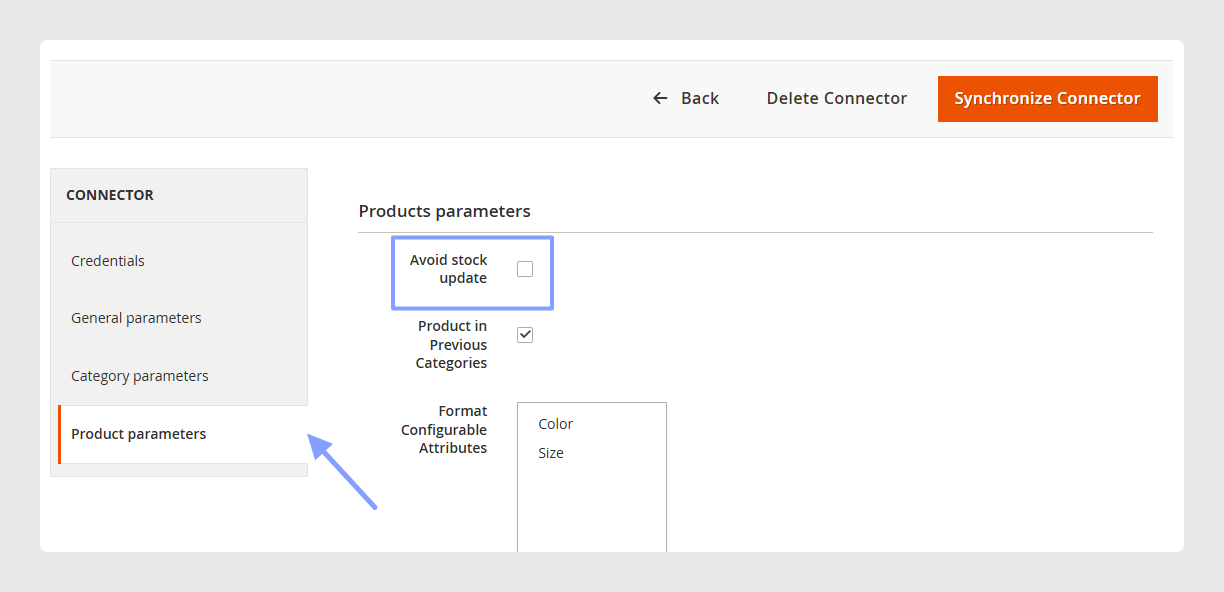
Every product or variant in Sales Layer with stock values greater than 0 will be updated with “in stock” status.
For products or variants with a stock value of 0, synchronization will take into account the option selected in the Manage Stock field configured in your Magento store.

Warning: if a product has variants, set the stock information in the variants and not in the product. Sending Stock for the product will not appear in Magento, only in its variants.
By deselecting the Avoid Stock Update option, you can match the following parameters:
- Inventory Backorders: No Backorders can be mapped by sending 0, no, or backorder. Allow Qty Below 0 can be mapped by sending 1, allow, or below. Allow Qty Below 0 and Notify Customer can be mapped by sending notify the customer.
- Inventory Minimum Qty Allowed in Shopping Cart: send a numeric value.
- Inventory Maximum Qty Allowed in Shopping Cart: send a numeric value.
If the Avoid Stock Update option is selected, the plugin will never intervene in the stock management fields.
Was this article helpful?
That’s Great!
Thank you for your feedback
Sorry! We couldn't be helpful
Thank you for your feedback
Feedback sent
We appreciate your effort and will try to fix the article