When the template has been uploaded, the parameters configured, and the fields mapped, go to the Download tab.
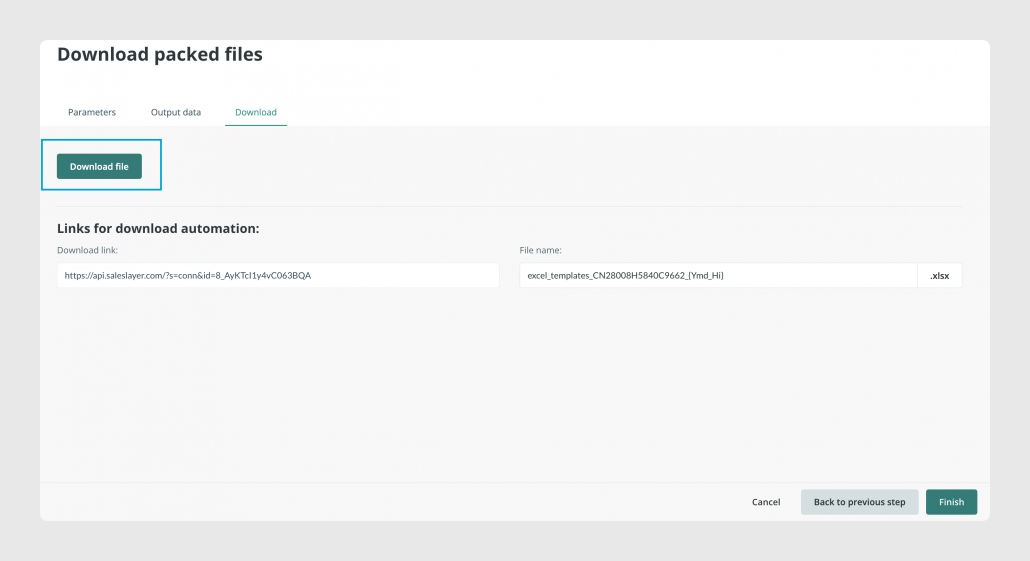
From there, click Download file to obtain a new Excel template containing the modifications generated by the connector.
Best practices
Create and review the Excel template before uploading it to the connector. Check that the sheet names, title rows, and first data rows match the structure you want Sales Layer to complete.
Avoid accents and special characters in the template name when uploading it from Parameters. If the final downloaded file needs a customized name, adjust it from the Download tab.
Review merge settings before applying filters. If tables are merged, filters follow the hierarchy between categories, products, and variants. If tables are not merged, filters work independently in each Output data tab.
Was this article helpful?
That’s Great!
Thank you for your feedback
Sorry! We couldn't be helpful
Thank you for your feedback
Feedback sent
We appreciate your effort and will try to fix the article