The Macros Expert is a specialized AI assistant designed to help Sales Layer users create, validate, and optimize data transformation formulas, also known as macros. With it, you can clean, format, and automate product information during imports and exports, helping you keep your data accurate, consistent, and efficient.
How to use it
You can find this feature in two different sections of Sales Layer:
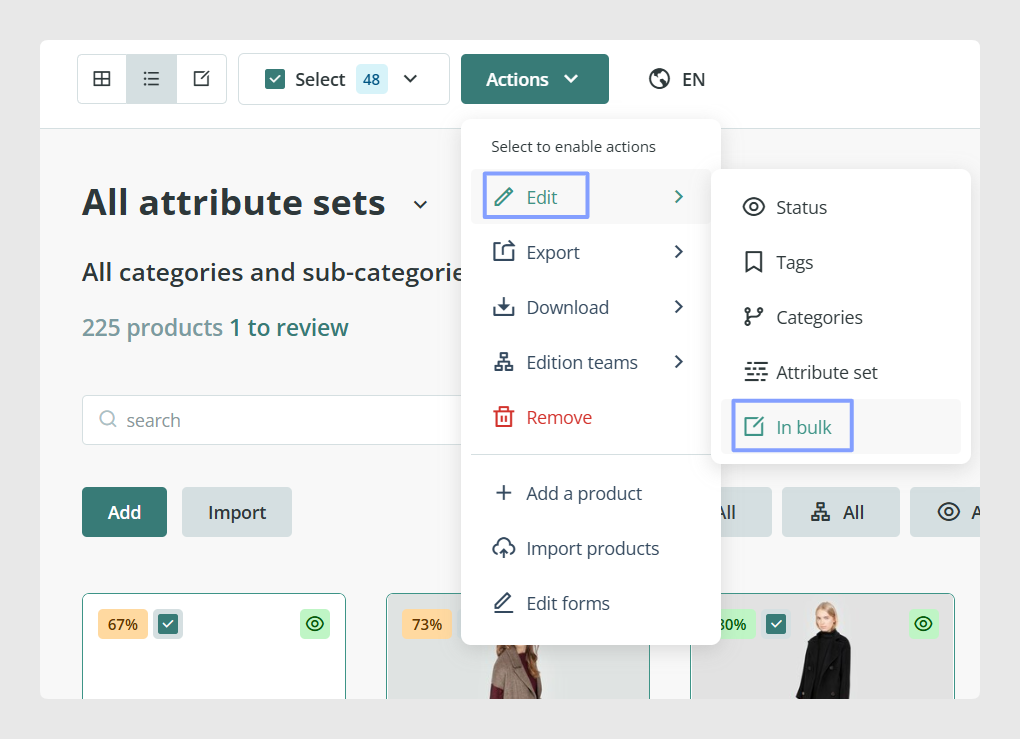
- Formula application in the Bulk Actions section
- Formula application in the Channels section
Bulk Actions section
To access the Macros Expert from Bulk Actions:
- Go to Actions > Edit > In bulk.
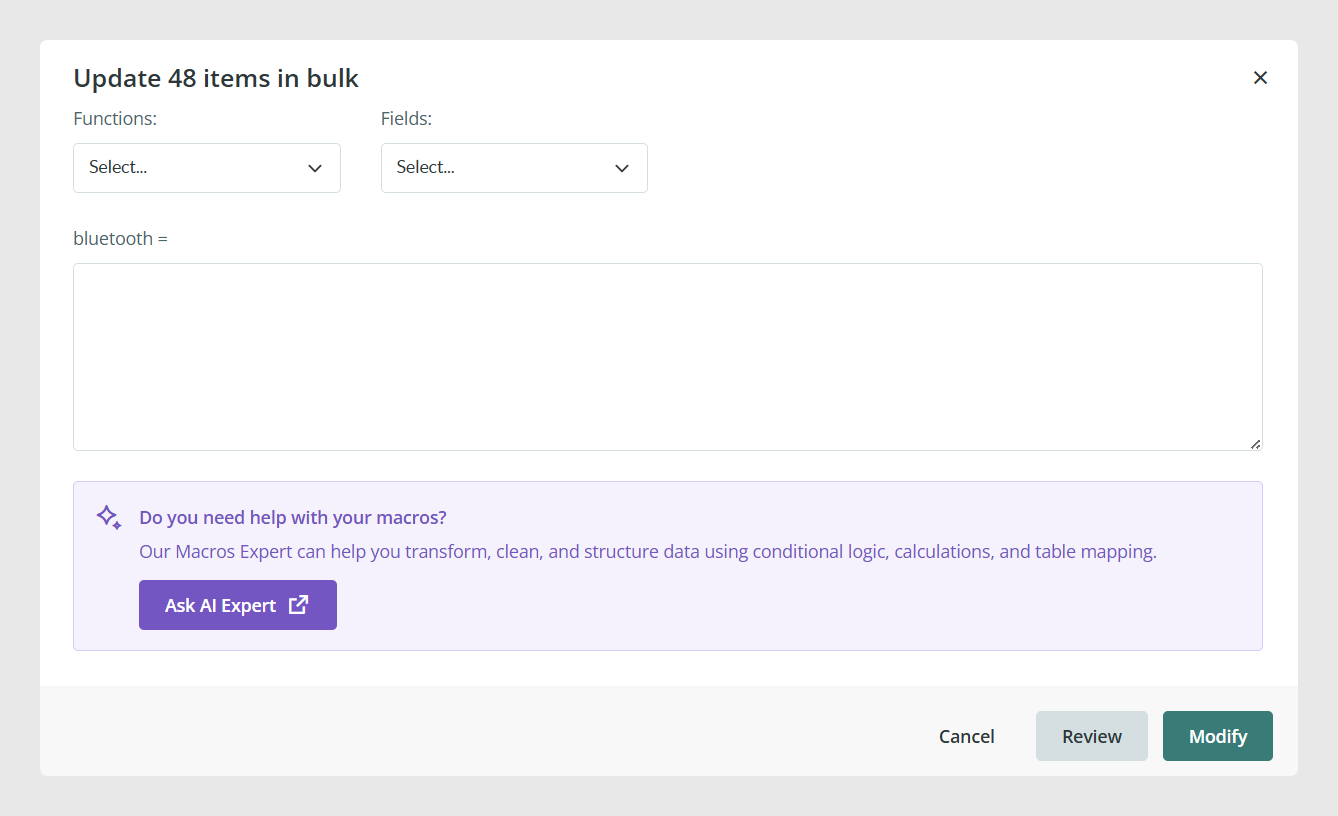
- Click Formula.
- Select the field you want to update.
- The AI help button will appear below the formula area.
Channels section
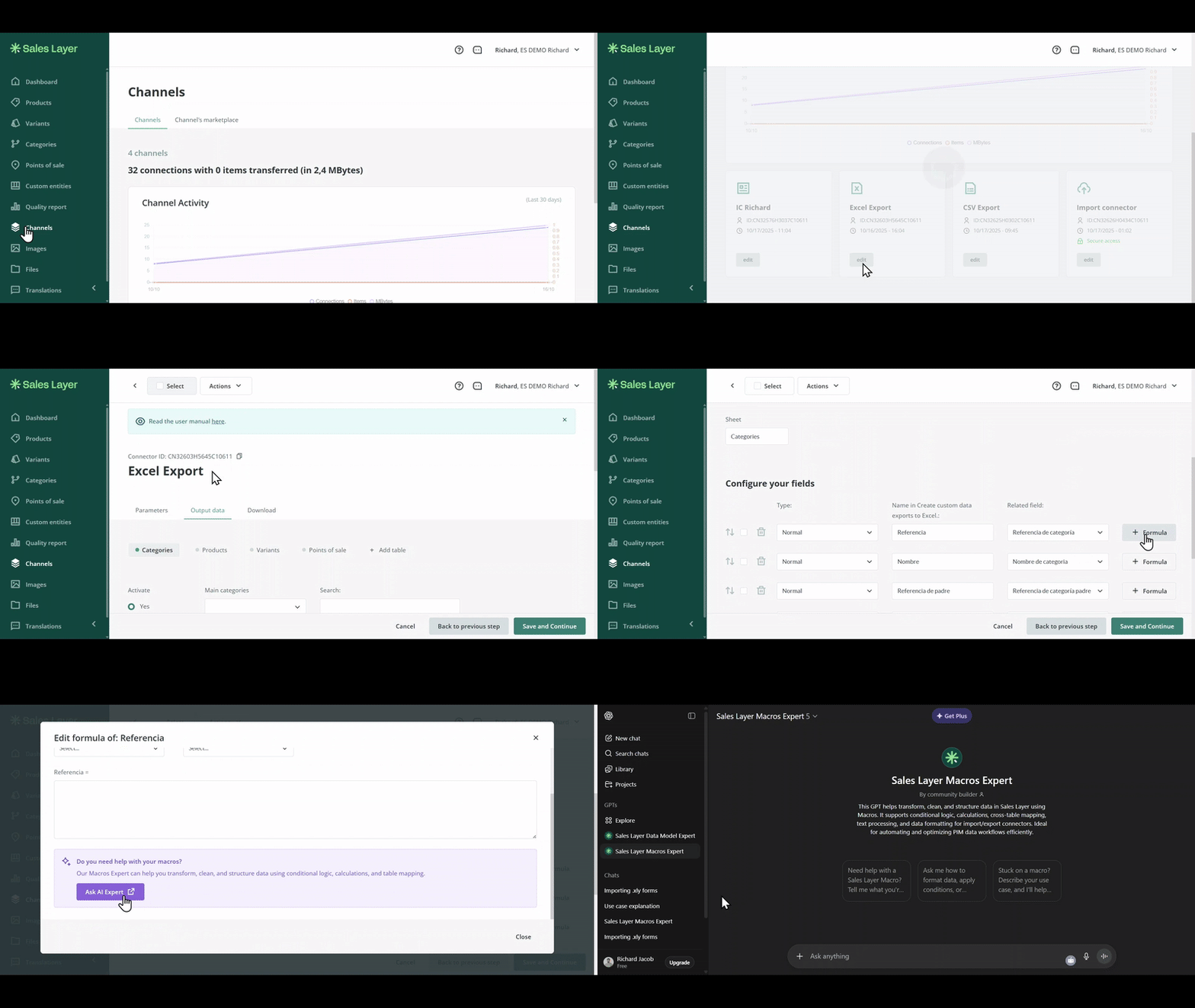
To access the Macros Expert from a channel:
- Go to the Channels tab.
- Select the channel you want to edit.
- Go to the Output Data tab.
- Scroll down to the Configure Fields section.
- Click the + Formula button. A pop-up window will appear.
- Click Ask AI Expert to open the ChatGPT Macros Expert tab.
Prompt examples
You can ask the AI assistant to help you build or review formulas directly within Sales Layer. Here are some examples of prompts you can use:
- Write a formula to retrieve the last modification date of my products and the product name.
- Create a formula to show the product name followed by its reference.
- Write a formula that only exports products with stock greater than zero.
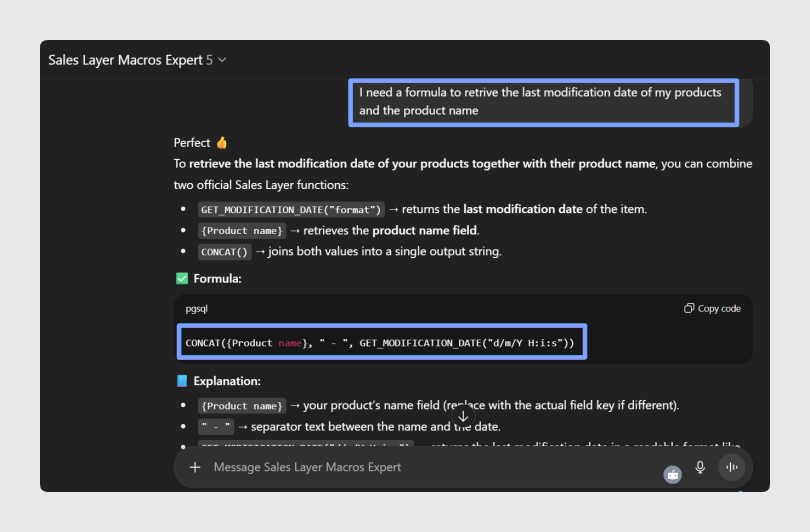
- I need a formula to retrieve the last modification date of my products and the product name.
The Macros Expert responds with syntax using official Sales Layer formula functions. It also provides a detailed explanation of the formula parameters and contextual examples, helping you learn while you work.
Best practices
When using the Macros Expert, write clear prompts and include enough context for the assistant to understand what you need. For formulas, mention the fields you want to use and the expected result.
Was this article helpful?
That’s Great!
Thank you for your feedback
Sorry! We couldn't be helpful
Thank you for your feedback
Feedback sent
We appreciate your effort and will try to fix the article