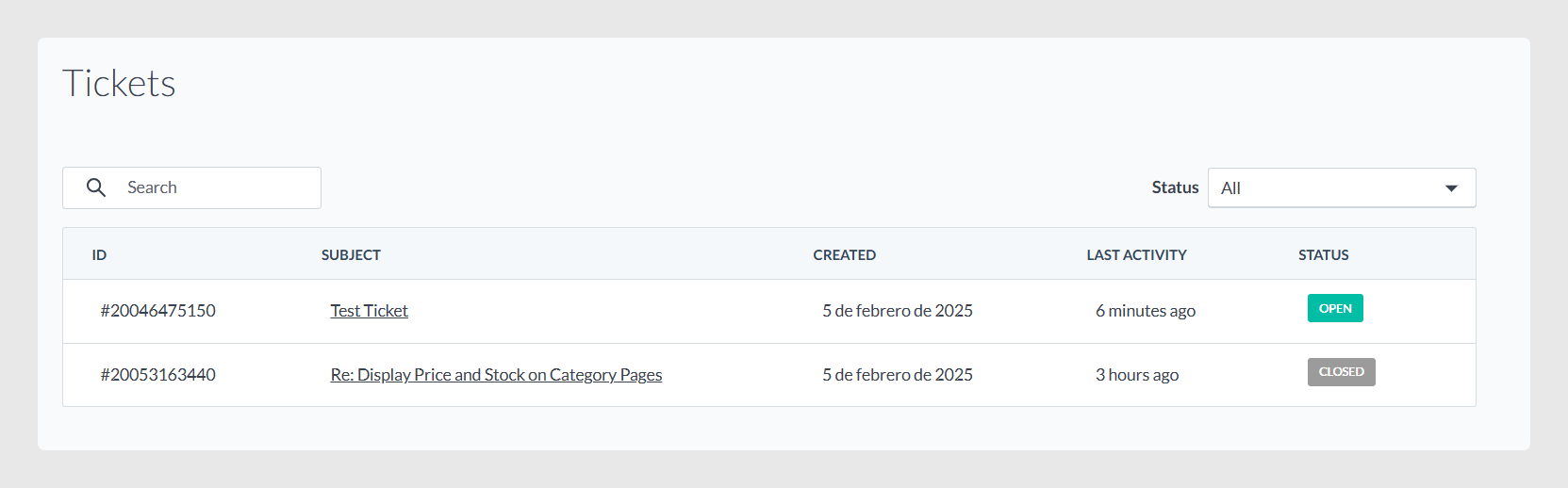
Sales Layer provides a Ticket Portal where you can view your company’s support ticket history. It helps you keep track of past conversations with the support team and follow up on ongoing requests in one place.
What you can do in the Ticket Portal
In the portal, you can:
View support tickets associated with your company.
Track the status of your inquiries.
Continue conversations with the support team when the ticket is still open.
Access the portal
To use the Ticket Portal, you need to register using the registration link provided by Sales Layer.
Ticket details and statuses
Each ticket shows its status and key information so you can understand what is happening and what actions are available.
Closed
Closed means the ticket has been resolved.
You can review the conversation history, but you cannot add new messages.
Other statuses (in progress, pending review, etc.)
If the ticket is not closed, you can:
Continue the conversation.
Add comments or updates.
Attach files, up to 50 MB.
What you will see in each ticket
Each ticket includes:
Ticket ID: A unique reference number.
Title / Subject: A short summary of what the ticket is about.
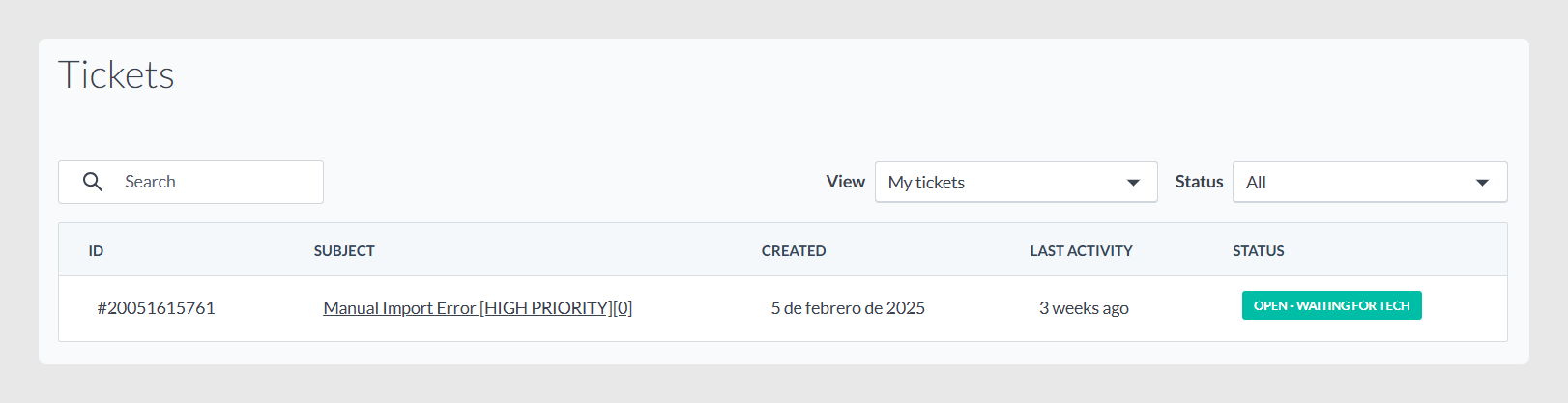
Priority: Indicates whether the ticket was marked as high priority.
Time spent: The time allocated to managing the ticket.
If it shows [0], it usually means time is not being internally tracked for that ticket type, for example, some incident reports.
Best practices
Use clear ticket titles, or add a clear update comment, so it is easy to locate the right conversation later.
When following up on an open ticket, include any new steps, screenshots, or sample data to help the support team move faster.
If you need to share files, keep them under 50 MB per attachment.
Note: The portal keeps tickets available for a limited time. If you cannot find an older ticket or you need details that are no longer visible, contact the support team through the usual channels so they can review it with you.
Was this article helpful?
That’s Great!
Thank you for your feedback
Sorry! We couldn't be helpful
Thank you for your feedback
Feedback sent
We appreciate your effort and will try to fix the article